Microsoft took on a big responsibility when it decided to make Windows 10, the last iteration of the operating system so far. Needless to say, a whole bunch of services and apps were either ditched or upgraded. Some are on the right track, while others leave a lot to be desired.
Since Windows Media Center became a discontinued project, enthusiasts and fans started to look for alternatives. The market is abundant, but Microsoft still wants to provide the basic tools for nearly any kind of operation you can perform on a Windows PC.
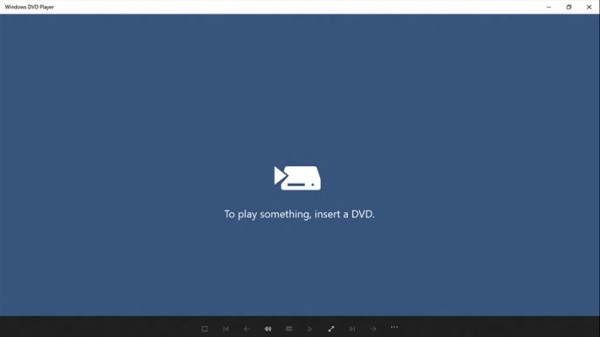
Among others, a new addition to the Microsoft Store is the Windows 10 DVD Player App, which aims to replace Media Center, but can it do that? Apart from the rather confusing way to get your hands on it for free, the set of features isn’t that prepared for the upgrade either. Looking through our software database, we managed to put together a list of alternatives, free and paid, which are sure to come in handy.
The Paid Alternatives
| 1 ~ RealTimes (formerly RealPlayer Cloud) |
|---|
| RealPlayer hit the market with positive overall feedback from the public. It’s gone through some changes along the way, in the hope of migrating Cloud services into a multimedia player, so you can save some disk space on your computer. |
General Overview:
– You need to have an account to access its set of features. Luckily, you can just sign in with your Facebook account;
– Highly-intuitive interface with tab support for Now Playing, Library, and even Web Videos;
– Neat file support for Audio, Video, and Image files;
– CD / DVD support with instant playback when the disk is inserted;
– Built-in audio recorder with one-click activation;
– Cloud service to save media files online;
– Playlist manager with options to load existing ones, or even URLs;
– Built-in web radio and web video services for enhanced online multimedia experience;
– Photo and Video sharing with friends on popular social networks;
– System integration and possibility to configure association.
| 2 ~ PowerDVD |
|---|
| In the race to provide flawless playback and an enhanced multimedia experience, PowerDVD stays on the market with quite an impressive array of features. As such, you can enjoy an abundance of Audio, Video, and Image files both online and offline. |
General Overview:
– Modern, easy-to-use interface with various customization possibilities;
– Step-by-step tutorials for most features with rich details and visual support to quickly get you up and running;
– Support for external and network devices, with enhanced experience from Cinema mode, letting you control playback options via a remote control;
– Highlights of upcoming movies and TV shows, as well as what’s trending in theaters;
– Online videos from services like Vimeo and YouTube, with the possibility to have them pinned for offline view;
– TrueTheater feature which enhances video quality so you can enjoy movies as they were intended;
– Emphasis on videos with various customizable settings, different 3D rendering options, as well as a built-in converter for 2D media;
– Cloud support to save multimedia files and stream them from other computers or devices.
| 3 ~ Zoom Player MAX |
|---|
| Keeping visuals simple, Zoom Player MAX is sure to make accommodation a walk in the park. If emphasis is not put on aesthetics, you’re sure to find most multimedia playback controls you need, as well as some extra options. |
General Overview:
– Offers to grab missing codecs and language packs for flawless playback;
– Can be configured for PC Desktops and Laptops, HTPC (Home Theater PC), and Tablets and Touch Screens;
– Simplistic, but highly-customizable interface, with various presets and manual controls;
– Built-in 10-band equalizer with presets and possibility to add your own;
– Playlist editor that can load existing ones, sort, shuffle, and play from URLs;
– Station Manager that lets you browse from worldwide radio stations according to genres, or add custom URLs;
– Possibility to split media file into chapters through a simple editor.
The Free Alternatives
| 1 ~ MPlayer |
|---|
| It’s free, simple, powerful: it’s MPlayer. With the focus put on playback file variety, MPlayer wants to make sure you can enjoy almost any kind of audio and video formats. System resources are cleverly handled, with options to select CPU type for proper processing. |
General Overview:
– Classic window design that neatly blends with the thin Windows 10 borders;
– Straightforward menus and controls so you don’t feel overwhelmed;
– Can play almost any kind of audio and video files, URLs, as well as CD/DVD;
– Several preset aspect ratios, compact mode, or fullscreen;
– Quick navigation through content at preset times, or via the progress slider;
– Options to manage audio, video, and subtitle tracks;
– Possibility to add custom parameters for extra options;
– Log window for in-depth analysis of general playback operations and codec use;
– Built-in playlist manager with options to shuffle and repeat;
– Comes with the SMPlayer interface upgrade, offered in the installer.
| 2 ~ BS.Player |
|---|
| What was once an important competitor on the multimedia player market, BS.Player almost completely collapsed at a certain point. However, it managed to make a surprising comeback by simply removing third-party offers packed in the installer, which created a lot of frustration within the enthusiast community. |
General Overview:
– Scans and offers to upgrade or install missing codecs on your system;
– Instant accommodation thanks to the classic design you’re already used to;
– Built-in media library to easily load and play Video, Audio, DVD, Internet Radio, and online TV;
– Looks up subtitles on the web and almost instantly integrates them into your video;
– Configurable playlists for all supported formats and controls;
– Side controls for quick management of multimedia content;
– Built-in 10-band equalizer with different presets and options to add your own.
| 3 ~ VLC Media Player (Recommended) |
|---|
| The list would have been incomplete without the popular VLC Media Player. With no price tag, this application offers an impressive array of input and output options, subtitle support, and tons of effects and enhancements to sit back and enjoy multimedia content almost like in theaters. |
General Overview:
– Simple interface that seamlessly integrates with the thin Windows 10 border style;
– Can play multimedia content from local files, multiple files, a specific folder, CD/DVD/Blu-ray disks, network devices, as well as capture devices, like DirectShow, TV – digital, or desktop;
– Possibility to stream media from multiple sources;
– Thorough Audio, Video, and Subtitle track managers;
– Customizable skins with a rich online library;
– Built-in 10-band equalizer, audio compressor, and spatializer for Audio enhancement;
– Color adjustment, crop, geometry, overlay, AtmoLight, and many other Advanced Video enhancements;
– Easy-to-use Subtitle synchronization;
– Customizable hotkeys for more comfort;
– Possibility to boost volume over 100%.
In conclusion
Everyone’s got a preferred multimedia player by now, and this doesn’t mean that other players should be overlooked. Sure enough, paid and free alternatives are abundant, each being specialized for a specific type of public or situation, because you can’t just stream movies on a big theater screen with your home multimedia solution, or the other way around. It’s all just a matter of choice.