Skip to content

emka.web.id

menulis pengetahuan – merekam peradaban

Menu
  • Home
  • Tutorial
  • Search
Menu

Tutorial Windows: How to Turn Pictures into ASCII in Windows

Posted on June 1, 2015

Times are changing quick and so do our habits and ways of interacting with each other. Communication has developed many forms since the Internet got to the majority of individuals.

Using words differently or other methods of expressing yourself doesn’t make you an uneducated person, given that you stay within some moral boundaries. The variety in speaking is best exemplified by social networks and online interactions.

One method in particular derived from programming. It takes characters of all kinds and places them in such a way to represent a picture. It’s called ASCII Art, and below are a couple of programs you can use in this regard.

Transforming pictures into ASCII Art

Using ASCII Art Studio:

Step 1: Download, install, and run ASCII Art Studio.

Step 2: Go to File menu and choose to Convert Picture to ASCII Art.

Step 3: Browse for the picture you want to turn into ASCII.

Step 4: Choose characters you want to use and write down those you don’t.

Step 5: Press OK so the new image is generated.

Step 6 (optional): Use the left Toolbox and bottom Character Map to add finishing touches.

Step 7-a: Go to the File menu and choose to Save Picture As to generate a new image.

Step 7-b: Choose Save As from the File menu. Write down a file name followed by .txt to save character layout.

Step 7-c: Copy the whole picture and insert it in a text field to share with others.

Using Images to Ascii Art:

Step 1: Download, and run Images to Ascii Art.

Step 2: Click the Folder button in the upper left corner.

Step 3: Select the image you want and press Open.

Step 4: Define the drawing method by browsing through the Palette drop-down menu.

Step 5-a: Click the Save text as text file to keep the character layout.

Step 5-b: Hit Save text as image file for a new picture.

Step 5-c: Copy everything from the canvas in a text field to share.
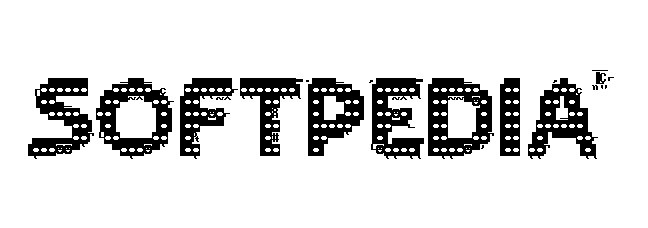
One type of ASCII Art

One type of ASCII Art

Terbaru

  • Isu SKTP Februari 2026 Sudah Terbit Ternyata Cuma Hoaks? Cek Jadwal Resminya Di Sini
  • Apa itu Mihari Novel? Aplikasi Baca Novel Dibayar
  • Cara Mengatasi NIK Belum Ditemukan di DTKS Saat Daftar KIP Kuliah, Jangan Panik Dulu!
  • Inilah 3 Karakteristik Pembagian Masyarakat Menurut Sibrani yang Bikin Kita Paham Struktur Sosial
  • Inilah Cara Mengatasi Status Bansos Atensi YAPI NTPN Tidak Ditemukan Biar Bantuan Tetap Cair!
  • Cara Mudah Unduh Video DS2Play Tanpa Ribet
  • Apa itu Free Float di Dunia Saham? Ini Artinya
  • Hati-Hati Modus Penipuan Asuransi BCA, Ini Caranya!
  • Inilah Panduan Lengkap Pendaftaran PPDB SMA Unggul Garuda Baru 2026, Simak Syarat dan Alurnya!
  • Alternatif Terbaik Dari OmeTV, Tanpa Takut Kena Banned
  • Tips Nama Petugas TKA SD/SMP Muncul Otomatis di Berita Acara
  • Inilah Fakta di Balik Video Botol Teh Pucuk Viral yang Lagi Rame di TikTok!
  • Apa itu Aturan Waktu Futsal dan Extra Time di Permainan Futsal?
  • Contoh Jawaban Refleksi Diri “Bagaimana Refleksi tentang Praktik Kinerja Selama Observasi Praktik Kinerja”
  • Main Telegram Dapat Uang Hoax atau Fakta?
  • Apa itu Lock iCloud? Ini Artinya
  • Integrasi KBC dan PM di Madrasah? Ini Pengertian dan Contoh Praktiknya
  • Ini Trik Input Pelaksana PBJ di Dapodik 2026.C Biar Info GTK Langsung Valid dan Aman!
  • Apa Maksud Hukum Dasar yang Dijadikan Pegangan dalam Penyelenggaraan Suatu Negara? Ini Jawabannya
  • Apakah Apk Puskanas Penipuan?
  • Inilah 10 Alternatif Mesin Pencari Selain Yandex yang Anti Blokir dan Aman Digunakan
  • Caranya Supaya WhatsApp Nggak Kena Spam Terus Meski Sudah Ganti Nomor, Ternyata Ini Rahasianya!
  • Jangan Tergiur Harga Murah! Inilah Deretan Risiko Fatal Membeli iPhone Lock iCloud
  • Mudik Gratis Pemprov Jateng 2026? Ini Pengertian dan Alur Lengkapnya
  • Inilah Cara Cek KIS Aktif Atau Tidak Lewat HP dan Solusi Praktis Jika Kepesertaan Nonaktif
  • Apa tiu Keberagaman? dan Kenapa Kita Butuh Perbedaan
  • Inilah Rekomendasi Tablet RAM 8 GB Paling Murah 2026 Buat Kerja dan Kuliah!
  • Ini Bocoran Honorable Mention TOTY FC Mobile OVR 117 dan 34 Kode Redeem Paling Baru!
  • Inilah Cara Memilih Smartband GPS Terbaik Biar Olahraga Kalian Makin Efektif!
  • Cara Cek Garansi iPhone dengan Benar, Penting Banget Buat yang Mau Beli HP Baru atau Bekas!
  • How to Fix the Subscript Out of Range Error in Microsoft Excel
  • What’s New in Podman 5.8: Quadlet & SQLite Migration Explained
  • Microsoft Fixes Old Windows 10 Bug Affecting Parental Controls
  • OpenVPN 2.7 Released with Multi-Socket Support Explained
  • IPFire Launches Community-Driven DBL for Enhanced Domain Blocking
  • Prompt AI Menyusun Script Pola Suara Karakter agar Brand Jadi Ikonik
  • Prompt AI untuk Merancang Karakter Brand yang Ikonik
  • Prompt AI Audit Konten Sesuai Karakter Brand
  • Prompt AI Merubah Postingan LinkedIn Jadi Ladang Diskusi dengan ChatGPT
  • Prompt AI: Paksa Algoritma LinkedIn Promosikan Konten Kalian
  • Apa itu Spear-Phishing via npm? Ini Pengertian dan Cara Kerjanya yang Makin Licin
  • Apa Itu Predator Spyware? Ini Pengertian dan Kontroversi Penghapusan Sanksinya
  • Mengenal Apa itu TONESHELL: Backdoor Berbahaya dari Kelompok Mustang Panda
  • Siapa itu Kelompok Hacker Silver Fox?
  • Apa itu CVE-2025-52691 SmarterMail? Celah Keamanan Paling Berbahaya Tahun 2025
Beli Morning Star Kursi Gaming/Kantor disini: https://s.shopee.co.id/805iTUOPRV
Beli Pemotong Rumput dengan Baterai IRONHOOF 588V Mesin Potong Rumput 88V disini https://s.shopee.co.id/70DBGTHtuJ

©2026 emka.web.id | Design: Newspaperly WordPress Theme