Skip to content

emka.web.id

menulis pengetahuan – merekam peradaban

Menu
  • Home
  • Tutorial
  • Search
Menu

Linux News Today: Mycroft AI Intelligent Personal Assistant Gets Major Update for GNOME Desktops

Posted on July 12, 2016

Approximately a month ago, we showed you the GNOME Shell extension of the unique Mycroft AI personal intelligent assistant for GNU/Linux operating systems running on the Ubuntu GNOME 16.04 LTS (Xenial Xerus) distribution.

Developed by the talented Aditya Mehra a.k.a. AIIX, the Mycroft AI GNOME Shell Extension is the most advanced version of the intelligent personal assistant that you can install on a Linux kernel-based operating system

Developer Aditya Mehra launched a couple of days ago an extension for the GNOME Shell user interface of the acclaimed GNOME desktop environment so that you can install on your distribution, that if you’re using the GNOME desktop environment, of course, to interact with Mycroft AI.

The new release, Mycroft AI GNOME Shell Extension 0.1.2, arrives today with an improved installer for Ubuntu-based distribution, based on a single script, an updated user interface, which you can see in action in the video attached at the end of the article, the ability to copy things to clipboard, and fixes for text bugs.

Other than that, there are two experimental features introduced in this new update, namely text reactive animation and pin to notifications. If you want to test the new Mycroft AI GNOME Shell Extension on your Ubuntu-based OS, you’ll find the installation instructions on the GitHub page of the project.

The Mycroft AI intelligent personal assistant is also available for KDE Plasma desktops, but it’s an Alpha-quality build at the moment. It’s written entirely in Qt and you’ll find all the details you need to know about how to install it on your GNU/Linux operating system via its GitHub page. In the coming months, Mycroft AI will come to more Linux desktops, including Ubuntu’s Unity.
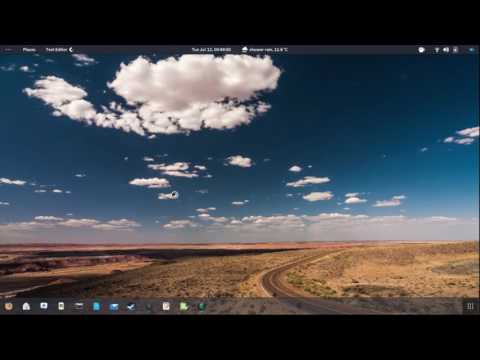
Play Video

Via Softpedia

Terbaru

  • Ini Daftar 8 Keluarga Paling Mengerikan dalam Sejarah, Ada yang Sampai Bikin Dunia Gemetar!
  • Inilah Trik Rahasia Pindahkan Video Melolo ke Galeri Tanpa Aplikasi Tambahan
  • Ini Arti Kode Transaksi Bank ‘Kor MCD Transaction DB Otomatis’
  • Update Terbaru Januari 2026! Ini Trik Kode Plant Brainrot Simulator Biar Garden Kalian Makin OP
  • Belum Tahu? Inilah Asal Nomor Telepon 021 300 yang Sering Ganggu Kalian!
  • Bingung Menu Multi Payment Livin Mandiri Hilang? Inilah Cara Bayar Tagihan Apapun dengan Mudah!
  • Cara Nonton Anime di Anoboy dan Gabung Komunitas Discord Official Anoboy
  • Inilah Cara Nonton dan Link Website Anime Samehadaku Terbaru yang Paling Update!
  • Inilah Cara Kerja APK Sumber Dana, Penipuan atau Tidak?
  • Apakah Aplikasi Nonton Drama ReelFlick Penipuan?
  • Inilah Fakta di Balik Isu Video Blunder Risaatjan yang Viral di Media Sosial
  • Menu Hadiah Melolo Hilang Tiba-Tiba? Jangan Panik, Ini Trik Ampuh Mengatasinya!
  • CCTV Kematian Lula Lahfah?
  • Inilah Kronologi Meninggalnya Lula Lahfah
  • Cara Login SP Datadik Terbaru Biar Kerja Operator Sekolah Makin Sat-set!
  • Ketemu Link Video Viral ‘Petualangan Ustadzah Rahma’? Hati-hati, Kamu Bisa Dihack
  • Ikon Mic Roblox Hilang? Gini Caranya Mengaktifkan Kembali Voice Chat Biar Bisa Mabar Lagi!
  • Ini Cara Hapus Rombel Ganda di EMIS 4.0 yang Nggak Muncul Tombol Hapus
  • Inilah Kenapa Data Info GTK Kalian Nggak Berubah Padahal Dapodik Udah Sinkron
  • Belum Tahu CoreTax? Ini Trik Supaya Affiliator Lancar Lapor SPT Tahunan 2025 Tanpa Ribet
  • Inilah Cara Pendaftaran Peserta TKA SD dan SMP yang Benar Biar Nggak Salah Langkah!
  • Gagal Sinkron Dapodik 2026 C? Ini Trik Lengkap Supaya Berhasil Tanpa Pusing!
  • Cara Download Bukti Potong BPA1 di CoreTax, Nggak Perlu Ribet Minta HRD Lagi!
  • Cara Lapor SPT Tahunan di CoreTax Buat Pekerjaan Bebas, Ternyata Nggak Ribet Kalau Tahu Triknya!
  • Cara Beresin Siswa Tidak Teridentifikasi dan Rombel Ganda di EMIS 4.0
  • Cara Usul PIP di Dapodik 2026.B Biar Peserta Didik Kalian Dapat Bantuan!
  • Inilah Cara Awal Mengelola Web TKA Biar Nggak Pusing Pas Pelaksanaan!
  • Inilah Cara Mengatasi Masalah Jam Mengajar di InfoGTK Biar Cepat Valid!
  • Cara Atasi Residu Verval PD yang Tetap Muncul Padahal Sudah Hijau, Operator Sekolah Wajib Tahu!
  • Mau Cuan dari Nonton Drama di Cash Reels? Jangan Buru-buru Install Sebelum Baca Ini!
  • Mengenal Apa itu TONESHELL: Backdoor Berbahaya dari Kelompok Mustang Panda
  • Siapa itu Kelompok Hacker Silver Fox?
  • Apa itu CVE-2025-52691 SmarterMail? Celah Keamanan Paling Berbahaya Tahun 2025
  • Apa Itu ErrTraffic? Mengenal Platform ClickFix yang Bikin Website Jadi ‘Error’ Palsu
  • What is Reflex Framework? A Full-stack Python Framework
  • Cara Ubah Tumpukan Invoice Jadi Data JSON dengan LlamaExtract
  • Cara Buat Audio Super Realistis dengan Qwen3-TTS-Flash
  • Tutorial Python Deepseek Math v2
  • Cara Menggunakan SAM3D untuk Segmentasi dan Pembuatan Model 3D dari Teks
  • Cara Membuat AI Agent Super Cerdas dengan DeepAgents dan LangGraph
  • Mengenal Apa itu TONESHELL: Backdoor Berbahaya dari Kelompok Mustang Panda
  • Siapa itu Kelompok Hacker Silver Fox?
  • Apa itu CVE-2025-52691 SmarterMail? Celah Keamanan Paling Berbahaya Tahun 2025
  • Apa Itu ErrTraffic? Mengenal Platform ClickFix yang Bikin Website Jadi ‘Error’ Palsu
  • Ini Kronologi Hacking ESA (European Space Agency) 2025
Beli Morning Star Kursi Gaming/Kantor disini: https://s.shopee.co.id/805iTUOPRV
Beli Pemotong Rumput dengan Baterai IRONHOOF 588V Mesin Potong Rumput 88V disini https://s.shopee.co.id/70DBGTHtuJ

©2026 emka.web.id | Design: Newspaperly WordPress Theme