Skip to content

emka.web.id

menulis pengetahuan – merekam peradaban

Menu
  • Home
  • Tutorial
  • Search
Menu

Linux News Today: PCLinuxOS 64 2016.05 Trinity Linux OS Brings Back Old Memories for KDE3.5 Fans

Posted on June 15, 2016

We’ve promised to introduce you, guys, to more PCLinuxOS editions as soon as we are in possession of the needed information, so today, June 15, 2016, we’re presenting the PCLinuxOS Trinity Community Edition.

A senior member of the PCLinuxOS community has recently created a flavor of the RPM-based distribution built, as its name suggests for some of you, around the Trinity Desktop Environment (TDE), an open-source project that tries to keep the spirit of the old-school KDE3.5 desktop environment alive for various GNU/Linux operating systems.

The latest release, PCLinuxOS 64 2016.05 Trinty Community Edition, was launched last month, sporting the long-term supported Linux 4.4.10 kernel and, of course, the latest stable build of the Trinity desktop environment, all built on top of the solid PCLinuxOS operating system. As the developer explains, PCLinuxOS Trinity comes as a drop-in replacement for the now-deprecated PCLinuxOS KDE MiniMe releases.

“This time I prepared a brand new remaster based on the official PCLinuxOS KDE 2016.03 release,” explained the developer. “The reason behind this step is that the subsequent releases based on KDE MiniMe 2014.12 have recently shown some signs of ‘aging’ despite thorough updates. A fresh remaster solves many problems with the network and graphics.”

Under the hood of PCLinuxOS 64 2016.05 Trinty Community Edition

Curious to find out what’s inside the PCLinuxOS 64 2016.05 Trinty Community Edition and how it compares with other PCLinuxOS editions, we’ve downloaded and tested the latest 64-bit Live ISO image. As expected, PCLinuxOS Trinity is distributed with the usual Full and Mini versions, the latter allowing experienced users to customize their desktops as they see fit.

We took the PCLinuxOS Trinity Full ISO image for a test drive, as it contains a more complete set of open-source applications, as well as out-of-the-box multimedia and printing support. And to our surprise, everything we’ve tested worked as advertised. But remember, it is not an OS for those who want a modern, futuristic desktop interface. PCLinuxOS Trinity is here for old-school Linux users who feel nostalgic for the KDE3.5 era.

Below, we’ve attached a few screenshots to see the PCLinuxOS 64 2016.05 Trinity Community Edition operating system in action so that you won’t download the ISO images for nothing. In case you like what you see, we invite you to grab the latest PCLinuxOS 64 2016.05 Trinity release right now via our website, but please note that it only works on 64-bit computers. More details can be found on the distro’s forum thread, where you can join the discussion with other users.
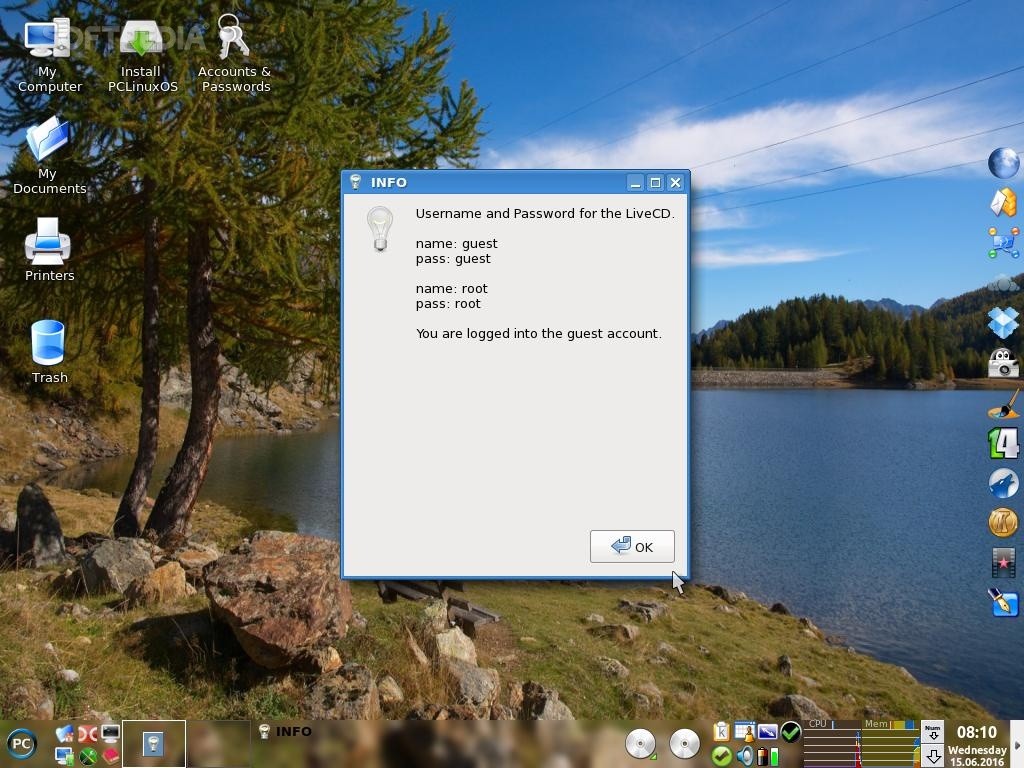
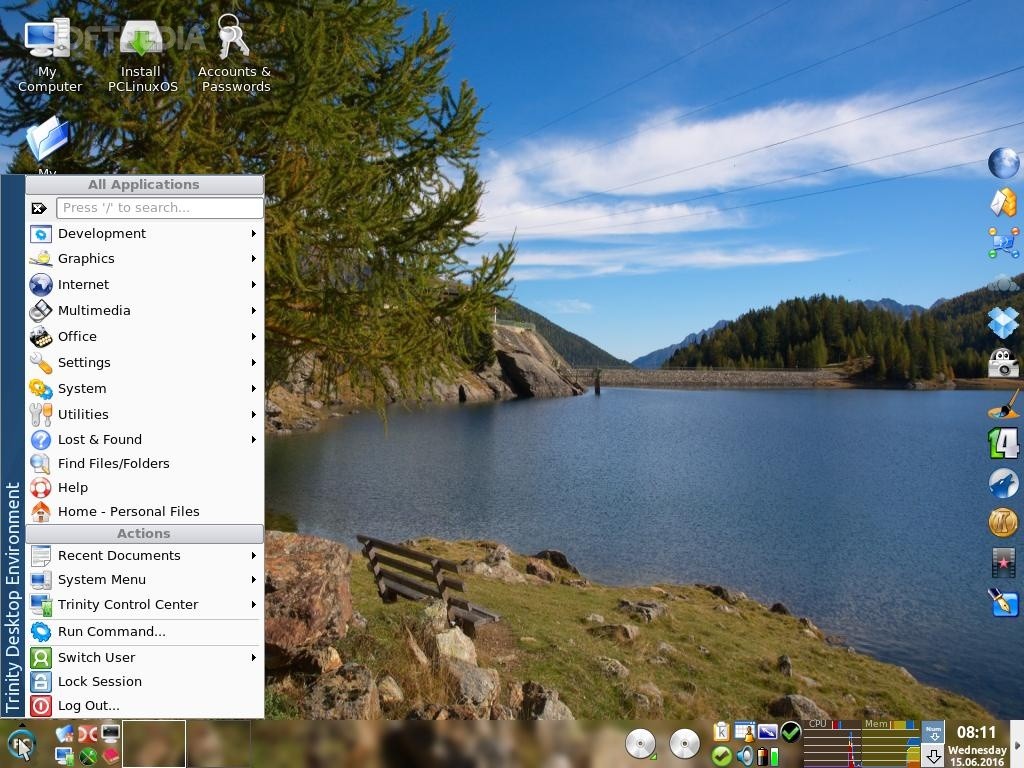
PCLinuxOS 64 2016.05 Trinity

PCLinuxOS 64 2016.05 Trinity

PCLinuxOS 64 2016.05 Trinity

PCLinuxOS 64 2016.05 Trinity

Via Softpedia

Terbaru

  • Cara Menonaktifkan SpayLater & Spinjam: Panduan Lengkap & Anti Ribet!
  • Panik Lupa Passcode iPhone? Jangan Reset! Ini Cara Ampuhnya
  • Printer Ngambyuk! Cara Ampuh Atasi Error 709 di Windows 11
  • Apakah Koin Shopee Bisa Buat Bayar Shopee PayLater?
  • Strategi Lolos PTN: Bongkar Tuntas Pembobotan UTBK Berdasarkan Jurusan!
  • Apa itu Meta AI WhatsApp Business?
  • POCO X6 Pro: Monster Gaming di Kelas Menengah? Ini Review Jujur Kami!
  • Denda Lazada PayLater 80 Ribu: Kenapa Begitu? Ini Penjelasan Biaya Keterlambatan!
  • Cara Ampuh Atasi Error Yandex: Video Gak Bisa Diputar?
  • Pinjol Bikin Susah Ajukan BRI? Ini Dampaknya!
  • Aplikasi Byond BSI Error: Kenapa Hari Ini? Kapan Masalah Ini Selesai?
  • Apa itu QRIS BCA? Panduan Lengkap & Cara Kerjanya Buat Kalian!
  • Kenapa Aplikasi Bima Tri Gak Bisa Dibuka & Login? Ini Dia Penyebab & Solusinya!
  • Berapa Nilai Denda Telat Bayar Shopee Paylater?
  • Pengertian Paylater
  • Download Video Syakirah Viral Full Album: Lengkap & Mudah!
  • Apa itu USN IG (User Session Number Instagram)?
  • Transaksi Gagal Pakai SpayLater? Ini Dia Penyebab & Cara Mengatasinya!
  • Cara Bedain Bukti Transfer Asli & Palsu
  • Kaget Ada SMS Tagihan SPAYLATER! Ini Penjelasan Lengkapnya
  • Cara Mengatasi Error AD Domain Services Down
  • Akun SpayLater Kalian Nonaktif? Ini Dia Penyebab & Cara Mengatasinya!
  • Mengatasi Error: “Maaf, Layanan Spinjam Belum Tersedia untukmu”
  • Cara Mengatasi Komputer Restart Mendadak & Error Tak Terduga
  • Apa itu Apple Studio Display ?
  • Apakah AdGuard DNS Aman Buat Android Kalian?
  • Kenapa Kuota Nasional Tri Tidak Bisa Dipakai Padahal Masih Banyak?
  • Kenapa Saldo Rekening BNI Bisa Minus?
  • Apa itu Apple iPhone Lipat ‘Clamshell’?
  • ToonMe, Cara Ubah Foto Jadi Kartun Disney Gemoy
  • Linux News Roundup February 2026
  • How to Install JellyFin Media Server on Samsung TV with TizenOS
  • Why OneNote Clears Your Notes
  • AMD NPU Monitoring on Linux: A Beginner’s Guide to AI Chip Tracking!
  • How to Fix AMD Adrenalin’s Game Detection Issues on Windows
  • Cara Membuat Podcast dari PDF dengan NotebookLlama dan Groq
  • Tutorial Membuat Sistem Automatic Content Recognition (ACR) untuk Deteksi Logo
  • Apa itu Google Code Wiki?
  • Cara Membuat Agen AI Otomatis untuk Laporan ESG dengan Python dan LangChain
  • Cara Membuat Pipeline RAG dengan Framework AutoRAG
  • Apa itu Spear-Phishing via npm? Ini Pengertian dan Cara Kerjanya yang Makin Licin
  • Apa Itu Predator Spyware? Ini Pengertian dan Kontroversi Penghapusan Sanksinya
  • Mengenal Apa itu TONESHELL: Backdoor Berbahaya dari Kelompok Mustang Panda
  • Siapa itu Kelompok Hacker Silver Fox?
  • Apa itu CVE-2025-52691 SmarterMail? Celah Keamanan Paling Berbahaya Tahun 2025
Beli Pemotong Rumput dengan Baterai IRONHOOF 588V Mesin Potong Rumput 88V disini https://s.shopee.co.id/70DBGTHtuJ
Beli Morning Star Kursi Gaming/Kantor disini: https://s.shopee.co.id/805iTUOPRV

©2026 emka.web.id | Design: Newspaperly WordPress Theme