The following article will list some of the most important panel applets, also called indicators, for Ubuntu 11.04’s Unity interface.
The Ubuntu 11.04 (Natty Narwhal) operating system introduced a different user interface, designed by Canonical, called Unity. The default indicators are nice, but many people complained that they miss their usual applets on the panel.
CPU monitors, system load indicators, bandwidth statistics, weather indicators, RSS news feeds, DropBox handlers, and many more other applets can be quite easily installed on Ubuntu 11.04.
This article will show a list of ten most used Unity indicators (panel applets), with installation instructions and screenshots. At the end of the article we will also list other indicators, less important, and where to find them.
1. Weather Indicator
This is the most easy to install indicator, as it is provided in the default Ubuntu repositories. Just open Synaptic or Ubuntu Software Center, search for weather-indicator and install it. Log out of your current sesssion, log back in and you’ll find it on the panel. Set it up and it will work like a charm!
 |
2. CPUFreq
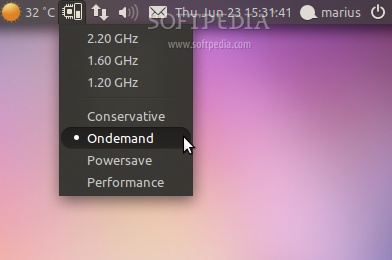
Very good for netbook users, this indicator will help you change your computer’s CPU, to cool it down and save battery power. Hit the CTRL+ALT+T key combination and install indicator-cpufreq with the following commands:
sudo add-apt-repository ppa:artfwo/ppa
sudo apt-get update
sudo apt-get install indicator-cpufreq
 |
3. System Load Indicator
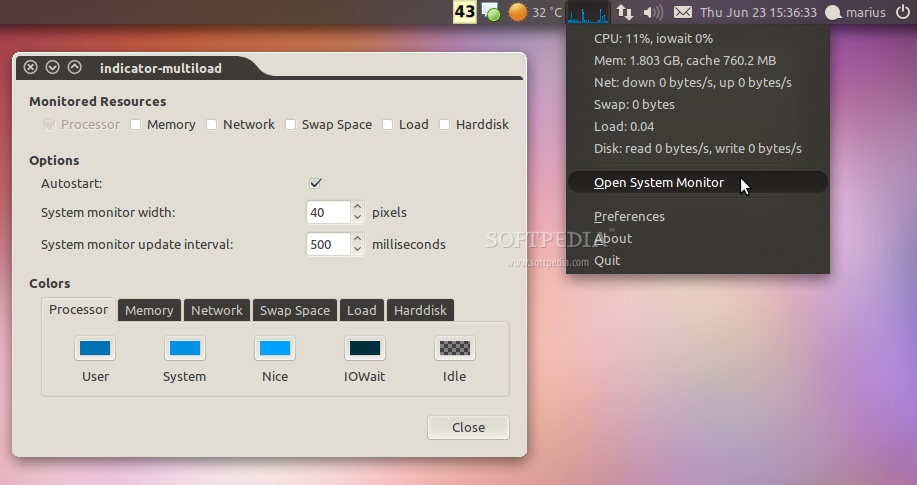
This applet will show what your CPU, memory, network and disk drives are doing. Hit the CTRL+ALT+T key combination and install indicator-multiload with the following commands:
sudo add-apt-repository ppa:indicator-multiload/stable-daily
sudo apt-get update
sudo apt-get install indicator-multiload
 |
4. StackApplet Indicator
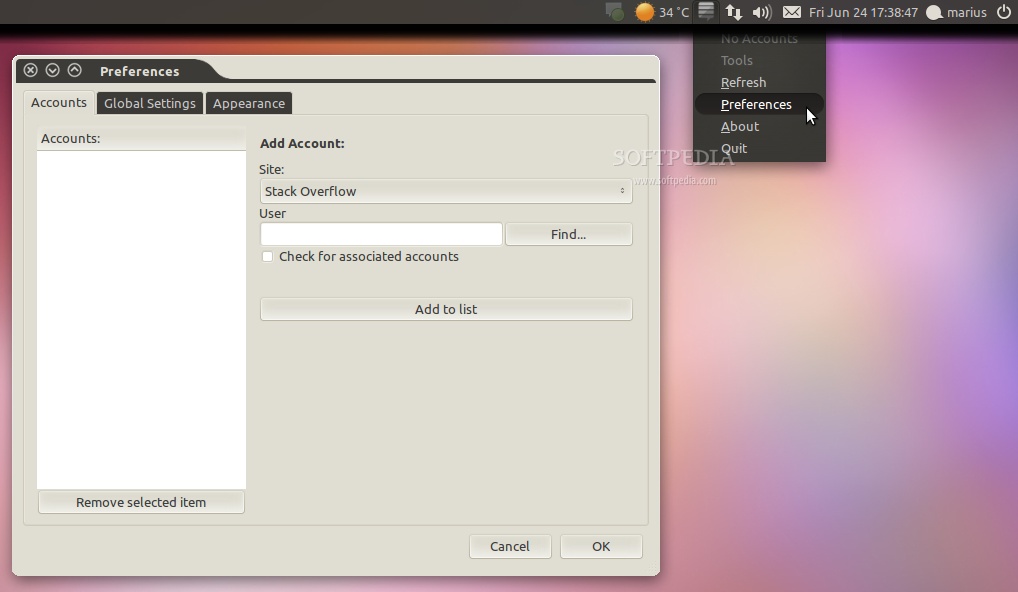
This applet monitors your activity on any StackExchange site. To install it just open Ubuntu Software Center, search for stackapplet and install it.
 |
5. Virtualbox Indicator
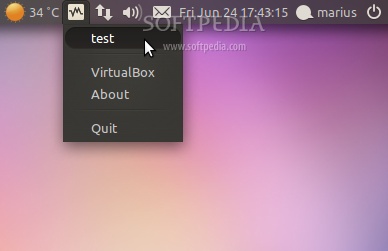
This applet will let you easily launch your VirtualBox’s virtual machines, right from the notification area. Hit the CTRL+ALT+T key combination and install indicator-virtualbox with the following commands:
sudo add-apt-repository ppa:michael-astrapi/ppa
sudo apt-get update
sudo apt-get install indicator-virtualbox
 |
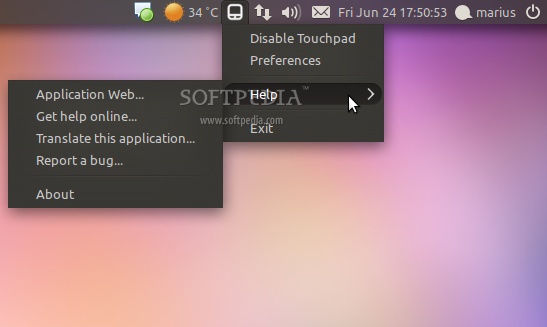
6. Touchpad Indicator
Another applet useful for netbook users, the Touchpad Indicator will let you enable or disable your laptop’s touchpad. Hit the CTRL+ALT+T key combination and install touchpad-indicator with the following commands:
sudo add-apt-repository ppa:atareao/atareao
sudo apt-get update
sudo apt-get install touchpad-indicator
 |
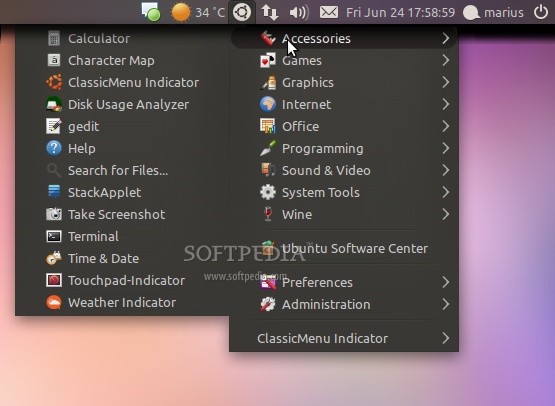
7. ClassicMenu Indicator
This applet provides you the classic GNOME-style applications menu. Just download the deb file from here and install it with a double click.
 |
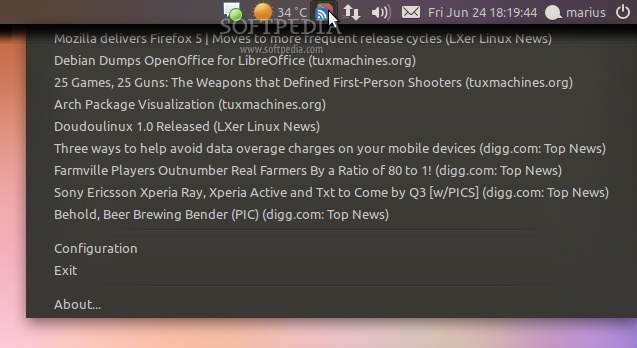
8. Google Reader Indicator
This applet will display all your feeds, from your Google Reader account. Hit the CTRL+ALT+T key combination and install google-reader-indicator with the following commands:
sudo add-apt-repository ppa:atareao/atareao
sudo apt-get update
sudo apt-get install google-reader-indicator
 |
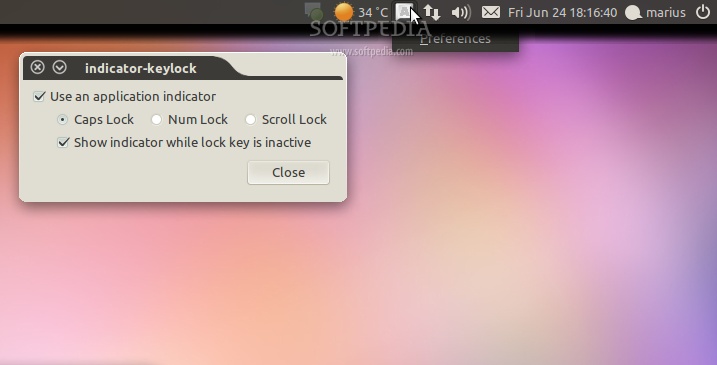
9. Keylock Indicator
This applet will let you easily turn on or off Caps Lock, Num Lock and Scroll Lock straight from the notification area. Hit the CTRL+ALT+T key combination and install indicator-keylock with the following commands:
sudo add-apt-repository ppa:tsbarnes/indicator-keylock
sudo apt-get update
sudo apt-get install indicator-keylock
 |
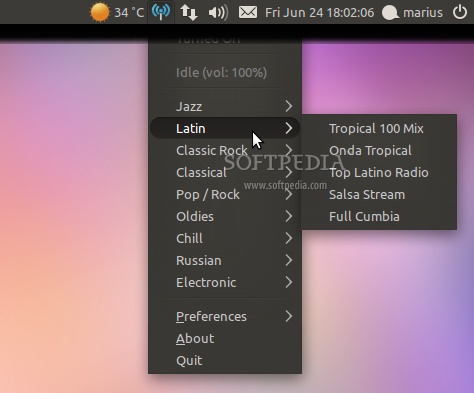
10. Radio Tray Indicator
This applet is a minimalistic radio player, which runs in your notification area. Hit the CTRL+ALT+T key combination and install radiotray with the following commands:
sudo add-apt-repository ppa:eugenesan/ppa
sudo apt-get update
sudo apt-get install radiotray
 |
Among other indicators for Unity, we can mention:
· CryptFolder Indicator (ppa:atareao/atareao)
· Sysmonitor Indicator (ppa:alexeftimie/ppa)
· MyWeather Indicator (ppa:atareao/atareao)
· Ubuntu One Indicator (ppa:rye/ubuntuone-extras)
· Hardware Sensors Indicator (ppa:alexmurray/indicator-sensors)
· Battery Status (ppa:iaz/battery-status)
· Workspaces Indicator (ppa:geod/ppa-geod)
· DesktopNova Indicator (ppa:michael-astrapi/ppa)
· Disper Indicator (ppa:nmellegard/disper-indicator-ppa)
· Feed Indicator
If you have knowledge about other interesting indicators for Unity, or you encounter problems with the installation of the above applets, do not hesitate to comment below. Source: Softpedia