
We have spent the last two years watching the virtualization market undergo a violent restructuring. Since the Broadcom acquisition of VMware, the industry has been holding its breath, waiting for an open-source alternative to grow enough “enterprise muscle” to handle Tier-1 production workloads without requiring a PhD in CLI wizardry. Yesterday, with the release of Proxmox Virtual Environment (VE) 9.3, that wait effectively ended.
Proxmox VE 9.3 is not just another incremental update with a kernel bump and a few bug fixes. It represents a fundamental shift in philosophy. By tackling the “dark arts” of storage specifically multipath management and thick-provisioned LVM snapshots the team at Proxmox Server Solutions has signaled that they are no longer just the kings of the homelab. They are coming for the data center.
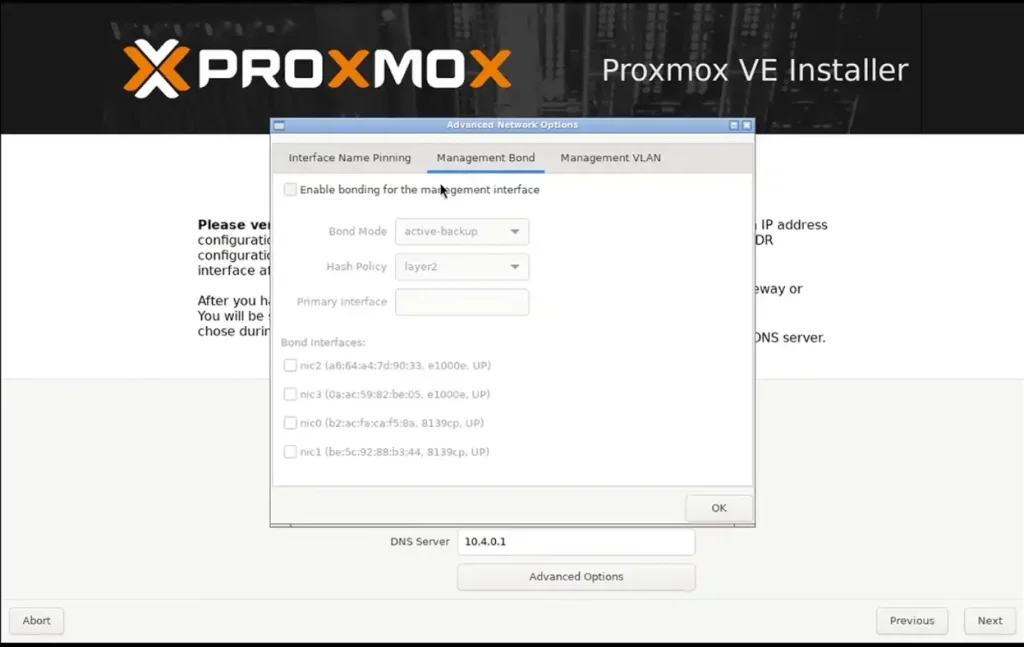
The Storage Breakthrough: Cluster-Wide Multipath and SAN Visibility
For years, the biggest friction point for enterprise sysadmins migrating from vSphere to Proxmox was SAN management. In the VMware world, connecting to an iSCSI or Fibre Channel (FC) array and setting up multipathing was a GUI-driven, streamlined process. In Proxmox, until now, it often felt like a manual chore involving multipath-tools, editing /etc/multipath.conf on every node, and praying for consistency across the cluster.
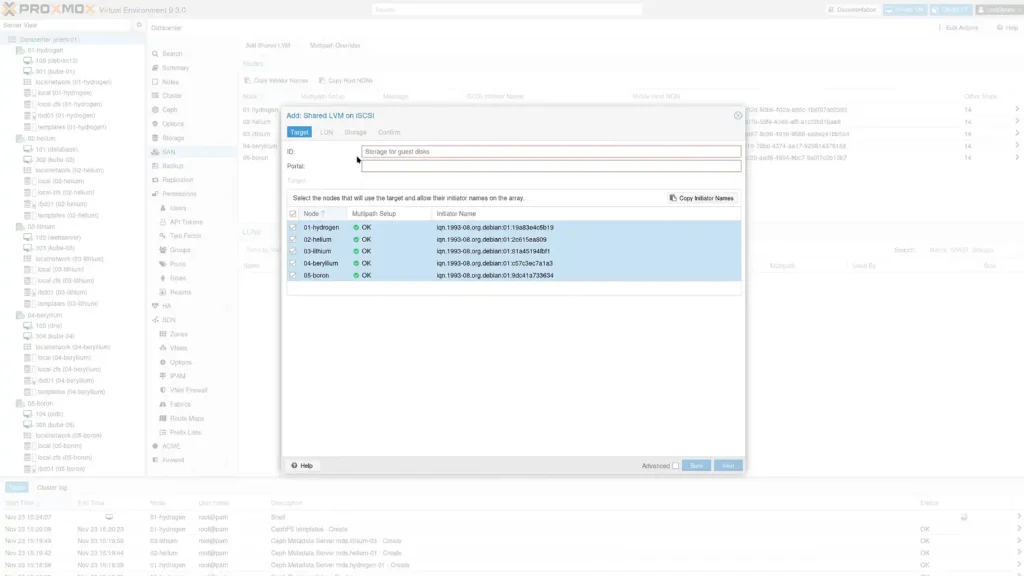
Proxmox 9.3 introduces a centralized SAN view under the Datacenter tab. This is a massive quality-of-life improvement. You can now see the path state and usage for LUNs across the entire cluster in real-time. But the real “killer feature” is the guided setup for shared LVM and multipath.
The installer and web interface can now configure multipath overrides and provision shared LVM storage on iSCSI, Fibre Channel, and even NVMe over Fabrics (NVMe-oF) directly. By automating the node-by-node configuration, Proxmox has eliminated one of the most common sources of cluster-wide storage failures: human error during manual CLI setup.
LVM Snapshots: Production-Ready Volume Chains
One of the long-standing “gotchas” in Proxmox was its handling of snapshots on LVM. Historically, if you wanted snapshots, you were steered toward ZFS or LVM-Thin. While LVM-Thin is great, many enterprise storage architectures are built on traditional “thick” LVM volumes for predictable performance and simplicity.
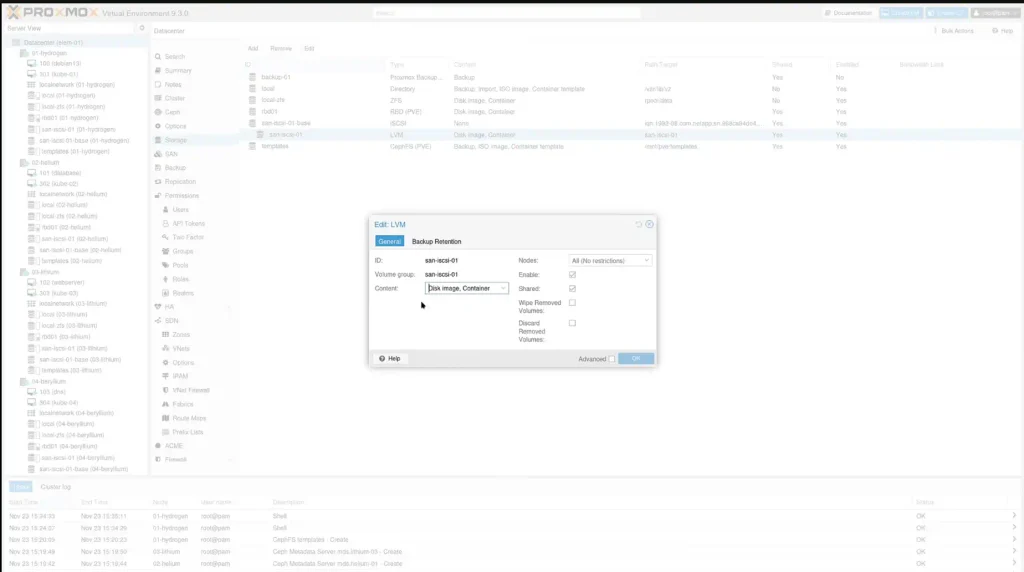
Proxmox 9.3 finally brings full production support for snapshots as volume chains on thick-provisioned LVM. This means you can finally take snapshots of VMs residing on shared iSCSI or FC SANs without the overhead or complexity of thin provisioning. This is enabled through a new “Allow Snapshots as Volume-Chain” option in the advanced storage settings. For organizations running heavy database workloads where performance predictability is non-negotiable, this is a major architectural win.
Identity Stability: The Unique Guest Identity (UUID)
If you have ever moved a VM between clusters or restored it from a backup only to find your monitoring tools or backup software (like Veeam or Proxmox Backup Server) treating it as a completely “new” guest, you know the frustration. Proxmox 9.3 introduces a stable, unique guest identity that persists across the entire lifecycle of a VM or container.
This identity stays the same even if the VMID changes or if the guest is restored to a different cluster. From an E-E-A-T perspective, this shows a deep understanding of the partner ecosystem. It allows third-party management tools to reliably track a guest regardless of its location or ID within a specific cluster. It’s a boring feature on paper that solves a high-level operational nightmare.
The Hardware Foundation: Debian Trixie and Kernel 7.0
Proxmox 9.3 moves the base to Debian 13.8 (Trixie). While Debian 13 is the bedrock, the choice of kernels is what matters for modern hardware.
- Default: Linux Kernel 7.0 provides the stability and driver support needed for the latest Intel and AMD silicon.
- Opt-in: Kernel 7.3 is available for those running on the absolute “bleeding edge” of hardware, particularly for improved power management and scheduling on hybrid-core architectures.
The inclusion of QEMU 11.1 and ZFS 2.4 ensures that the underlying virtualization and file system layers are benefiting from the latest performance optimizations, specifically around block cloning and NVMe throughput.
Operational Polish: HA Maintenance Mode and API Logs
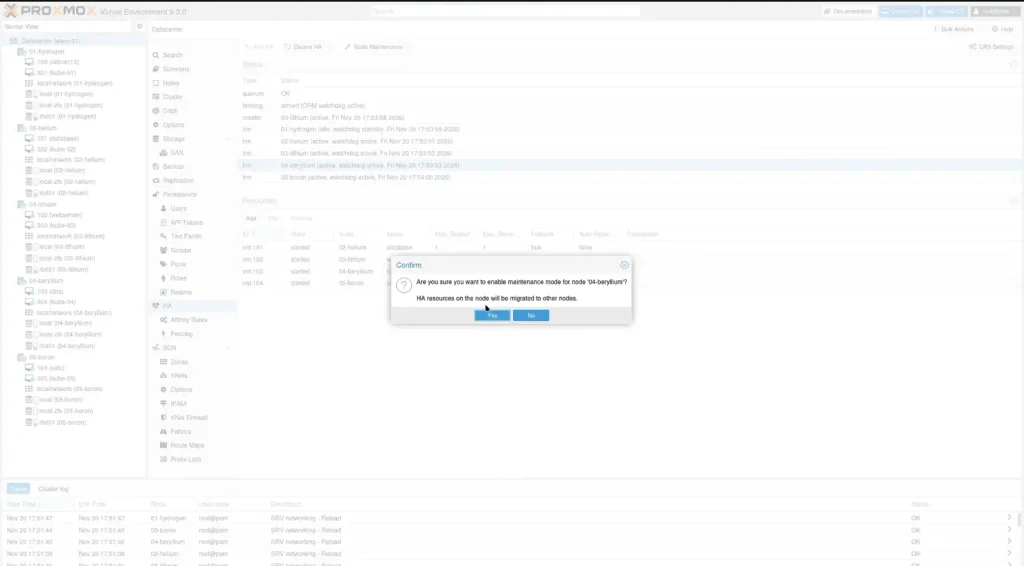
We have to talk about the user interface. For a long time, putting a node into maintenance mode required a dance with the CLI to ensure High Availability (HA) resources were evacuated correctly. In 9.3, this is finally integrated into the GUI. You can now manage HA maintenance mode for nodes directly under Datacenter > HA, making routine hardware swaps or firmware updates a simple click-and-wait operation.
Furthermore, Proxmox is getting serious about auditing. The new API Access Log and structured System Log views provide color-coded, filterable data that is essential for compliance and troubleshooting. Seeing exactly which API user triggered a VM migration or changed a network configuration is no longer a matter of digging through raw journald logs; it’s a searchable, human-readable panel.
Is Proxmox 9.3 Ready for Your Production Data Center?
There is still a bit of a learning curve for those coming from the “point-and-click” luxury of VMware, particularly when it comes to the nuances of Software-Defined Networking (SDN). Proxmox 9.3 expands SDN with WireGuard status reporting and dedicated VRFs for simple zones, but networking remains the area where most admins will still need to spend some time in the documentation.
However, the trade-off is clear. Proxmox offers a level of transparency and flexibility that no proprietary hypervisor can match. With the new SAN management features and production-grade LVM snapshots, the “technical debt” of moving away from VMware has dropped significantly.
If you are still sitting on a legacy vSphere cluster and dreading your next renewal invoice, Proxmox 9.3 is the version that should finally convince you to start your migration pilot. It is stable, it is enterprise-aware, and most importantly, it is built on an open ecosystem that won’t lock you in.