Skip to content

emka.web.id

writing knowledge, recording civilization

Menu
  • Home
  • Tutorial
  • Search
Menu

Bagaimana cara mengaktifkan Screen Distance?

Posted on May 29, 2024

Kabar gembira bagi pengguna iPhone! Apple baru saja meluncurkan update iOS 17.5 pada tanggal 13 Mei 2024, membawa beberapa fitur baru yang menarik. Salah satu fitur yang patut disorot adalah Screen Distance, yang dirancang untuk menjaga kesehatan mata pengguna.
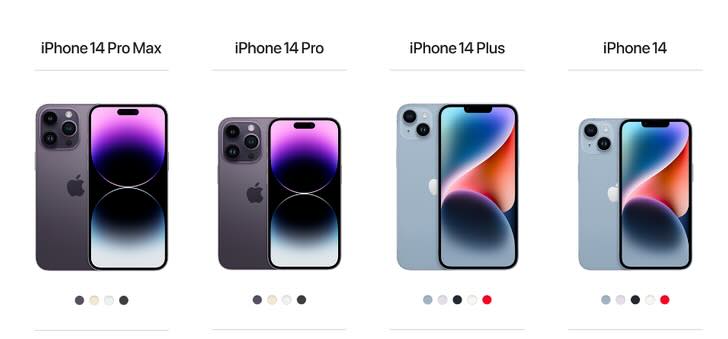
Pernahkah kamu merasa mata lelah atau iritasi setelah menatap layar iPhone dalam waktu lama? Hal ini bisa terjadi karena kamu tanpa sadar memegang iPhone terlalu dekat dengan wajah. Meskipun tidak secara langsung membahayakan mata, kebiasaan ini dapat menyebabkan stres pada mata dan meningkatkan risiko miopia (rabun jauh).

Untungnya, iOS 17.5 hadir dengan fitur Screen Distance untuk membantu mengatasi masalah ini. Fitur ini akan memberikan peringatan ketika kamu memegang iPhone terlalu dekat dengan wajah selama beberapa menit.

Bagaimana cara mengaktifkan Screen Distance?

  1. Buka Settings di iPhone kamu.
  2. Pilih Screen Time.
  3. Ketuk Screen Distance.
  4. Ikuti petunjuk di layar untuk mengaktifkan fitur ini.

Setelah Screen Distance aktif, kamu akan menerima notifikasi ketika kamu memegang iPhone terlalu dekat dengan wajah. Layar akan diblokir dengan pesan “iPhone May Be Too Close” dan kamu harus menjauhkan iPhone untuk melanjutkan aktivitas.

Bagaimana cara menonaktifkan Screen Distance?

  1. Buka Settings di iPhone kamu.
  2. Pilih Screen Time.
  3. Ketuk Screen Distance.
  4. Nonaktifkan tombol di sebelah Screen Distance.

Manfaat Screen Distance:

  • Membantu mengurangi kelelahan mata dan iritasi.
  • Menurunkan risiko miopia (rabun jauh).
  • Meningkatkan kenyamanan saat menggunakan iPhone.

Tips tambahan:

  • Atur kecerahan layar sesuai dengan kondisi pencahayaan di sekitarmu.
  • Gunakan Night Shift untuk mengurangi paparan cahaya biru di malam hari.
  • Beristirahatlah secara berkala saat menggunakan iPhone, terutama setelah 20-30 menit.

Lindungi kesehatan matamu dengan menggunakan fitur Screen Distance di iOS 17.5!

Bagikan Pengalamanmu:

Apakah kamu sudah mencoba fitur Screen Distance? Bagaimana menurutmu? Bagikan pengalamanmu di kolom komentar!

Terbaru

  • Redox OS: A Rust-Based Microkernel Operating System (And How It Differs from Linux)
  • Canonical Is Bringing Back Ubuntu Core Desktop — This Time With a Clearer Plan
  • systemd Officially Adds Support for Rust Components
  • Rocky Linux Creator Builds a Brand-New “Not Linux” Kernel in 11 Days Using AI
  • Building a local AI agent in Workshop on Ubuntu 26.10
  • Omarchy 4.5 RC: 5 New Apps That Actually Look Useful
  • Worth It! Switching from Fedora KDE to Kubuntu
  • I’m Happy Using ‘Herdr’, The Fastest Growing Devtool written in Rust
  • Testing Goose on Omarchy Linux (App & CLI): The Open-Source Solution for Daily Task Automation
  • GNOME Founder Attacks Omarchy Founder as “Lazy, Racist, Ignorant”
  • Why I Stopped Using Plain Command Line Docker and Use Portainer 3.0 To Make My Home Projects Fun Again
  • Why I Switched to a Proper Firewall Box with OPNSense for My Homelab Stuff
  • Fixing Windows Error 0x80070005 Hyper-V Export Access Denied Error the Right Way
  • Fixing Hyper V Export Errors and Building a Better Virtual Machine Setup (error 0x80070002, 0x80070005)
  • Fixing the Dreaded Windows Audio Service Stuck on Stopping Error
  • Windows SIM Error, Unknown error 0xc1420127
  • How I’m Building a Cat Breeding Management App with Python Qt6 + Microsoft Litebox, in 1 Week
  • Why Windows Keeps Nuking Your GPU Drivers (And How to Take Back Control)
  • Why I Finally Ditched Mainstream Windows Cleaners (And Why I Use ‘Kudu’ Instead)
  • AI Made Everything Faster, Including Bad Decisions
  • Raspberry Pi Desktop Available of PC and Mac, Based on Debian 13
  • Why I Stopped Yelling at My PC When Error; Getting Windows 11 Voice Isolation and Access to Actually Work
  • Berobat Kanker ke Malaysia: Berapa Biayanya dan Apa Saja yang Perlu Disiapkan?
  • Stop Sending Every Prompt to the Biggest AI Model You Can Find
  • Stop Building AI Agents from Scratch: My Pick for the Best Native Windows Setup
  • Jev Is Faster and Cheaper, But I Still Recommend Clef. Here’s Why.
  • Weird XCP-NG Bug or Feature? Enable Maintenance Mode = Host Not Enough Memory
  • Vinix OS: Another OS That Want to Beat Linux, Try it!
  • Trying NVX, An Ultra-Light Micro-VM Sandbox from Microsoft
  • Learning NocoDB from Scratch: Creating a Simple Greenhouse App
  • Canonical: Ubuntu coming soon to Snapdragon X2 Series platforms
  • Finally, wolfSSL adds post-quantum algorithms!
  • How to Run Gemma Embedding Models Using Docker
  • Deploy Nginx Rootful Container with Podman
  • How to Sandboxing Browser on Linux Desktop with Flatpak
  • Liquid AI Unveils LFM3: A New Generation of Multimodal Foundation Models Built Small Device
  • Google DeepMind Unveils Genie 4: The Most Advanced Real-Time Interactive World Model Yet
  • Building Long-Running AI Agents with Pi Durable: An AI SRE Agent Example
  • Prompt AI: Impressionist Portrait Art of a Woman
  • Prompt AI: Stylish Man Walking Double Exposure Photo
  • Siapa Karisma Adys Safira? Profil Istri Axel Hadiningrat sing Lagi Rame Diomongke Warga
  • Alvin Tedjo menang jadi Wali Kota di Kanada, wong Indonesia kok iso dadi pemimpin kota gede?
  • Messi vs Ronaldo rebutan gelar Ballon d’Or of All Time, siapa yang paling jago menurut fans?
  • Ini Dia QR Link Dana Kaget 400K, 27 Oktober 2026
  • Fresh! Ini Biodata dan Fakta Unik dari Member No Na

©2026 emka.web.id | Design: Newspaperly WordPress Theme