
Most people just stick with whatever router their internet company gave them. I did that for a while too. It worked okay until I started messing with extra networks and wanted to keep some devices away from others. Then things got messy fast. I kept running into limits and random blocks that made no sense.
Then In 2025, I set up OPNsense on an old mini PC I got from a decade ago. It really felt like a big step at first. But once it was running it handled all the traffic between my different networks and even did the DHCP and DNS jobs very well. And after using it for over a year, I learned which OPNsense settings actually matter if you want it to stay reliable and not turn into a headache on later.
Choose ZFS When you Install OPNSense
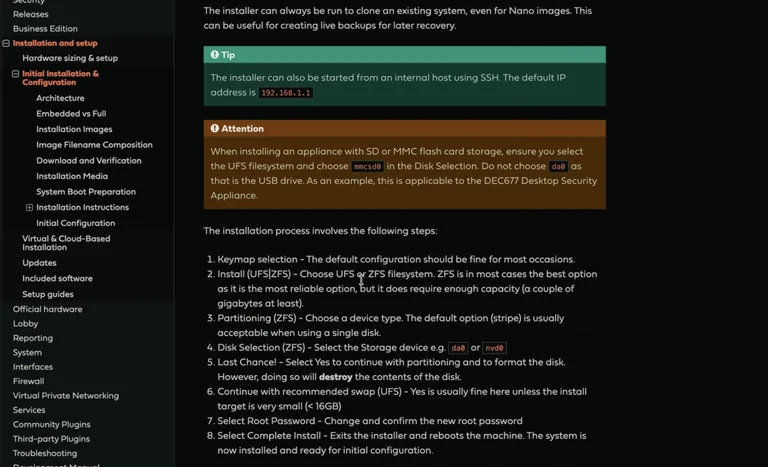
When you install OPNsense you have to pick between two filesystems. A lot of guides just say grab the simple one, usually ext4 or XFS. I tried that the first time and it was fine until I started thinking about what happens if a drive dies. Now I always go with ZFS and mirror two small NVMe drives. That way if one fails the other keeps everything going. I can swap the bad one without losing the whole setup.
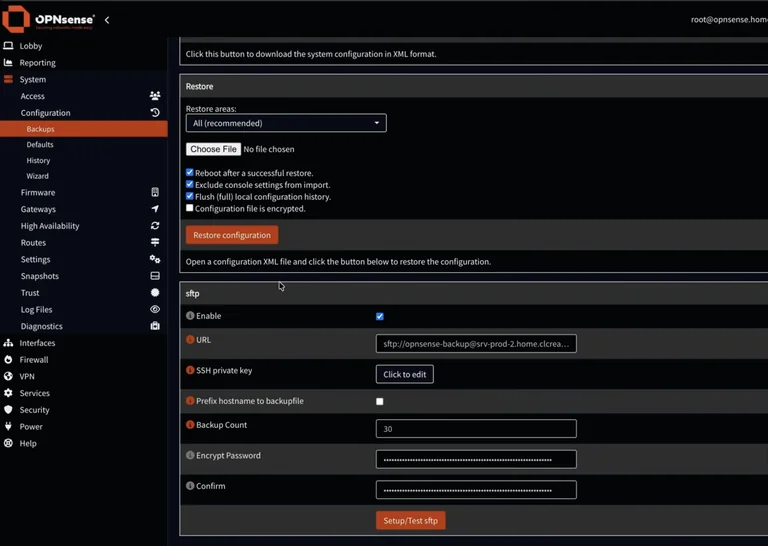
I still take backups though. Redundancy is not the same as a real backup. OPNsense already saves config changes by itself so you can roll back to an earlier time pretty easily. The problem is those backups live only on the box. I installed the SFTP backup plugin and set it to push the last thirty encrypted copies to another machine on my network every night. That machine already gets backed up elsewhere so I have more than one place to grab things from if the whole firewall dies.
Becareful With Blocking Anything
This part scared me a bit when I first read about firewalls getting broken into through their web pages. By default the web interface listens on every network including the public one. I leave that alone like the docs say but I add a rule that blocks anything coming from the internet to the admin ports. SSH only listens on my internal networks. I made a separate user just for me with an SSH key and turned off password logins for root.
I also got a real certificate so the browser stops yelling at me. There is a free plugin that talks to Let’s Encrypt and renews it automatically. Once it was working the little warning triangle disappeared and everything felt cleaner.
DHCP that does not fight you later
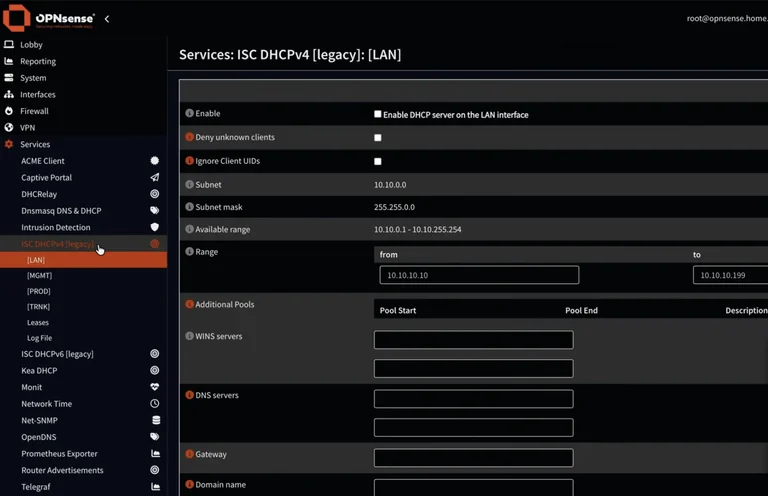
The old DHCP service is not really maintained anymore, so we better switched to the newer one called Kea. It lets me set different ranges for different networks and add extra DNS servers if I want. The best part is the reservations. I pick a few devices like my laptop and the main desktop and give them fixed addresses outside the normal pool based on their MAC addresses. Then I can write firewall rules that only those specific machines can reach certain places. Other devices on the same network stay locked out. That has saved me from a lot of accidental messes.
I do not run DNS on the firewall itself. I just hand out the addresses of my separate DNS boxes through DHCP. The clients talk straight to them and the firewall stays out of the way for most lookups.
Rules that actually make sense
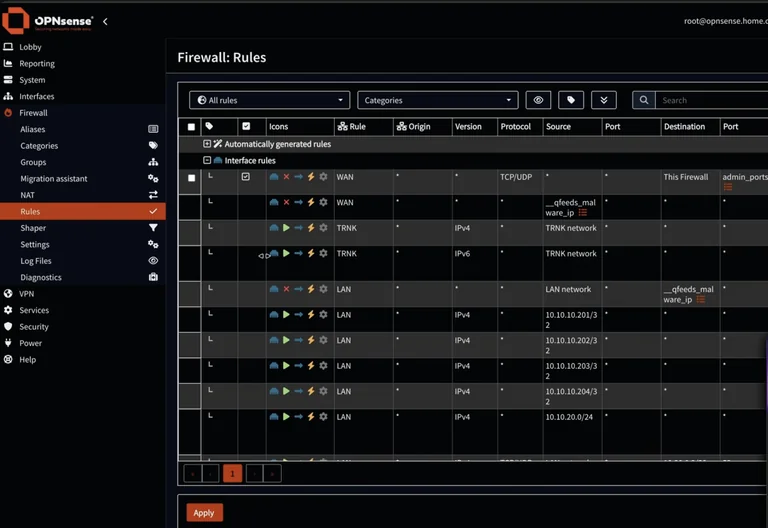
Everything is blocked by default except the rules you create. There are also a bunch of automatic rules the system adds so basic stuff like DHCP still works. I always expand those and look at them so I know what is already allowed. When something does not work I open the live log view and filter for blocked packets. Each one shows a rule ID. Then I can search for that ID and see exactly which rule caused it.
Lately I added free threat lists from a community plugin. It pulls in hundreds of thousands of known bad IP addresses and domains. I made simple block rules on both the WAN and LAN sides that use those lists. Now if any of my devices try to talk to something on the bad list it just gets dropped. The plugin keeps the lists updated on its own.
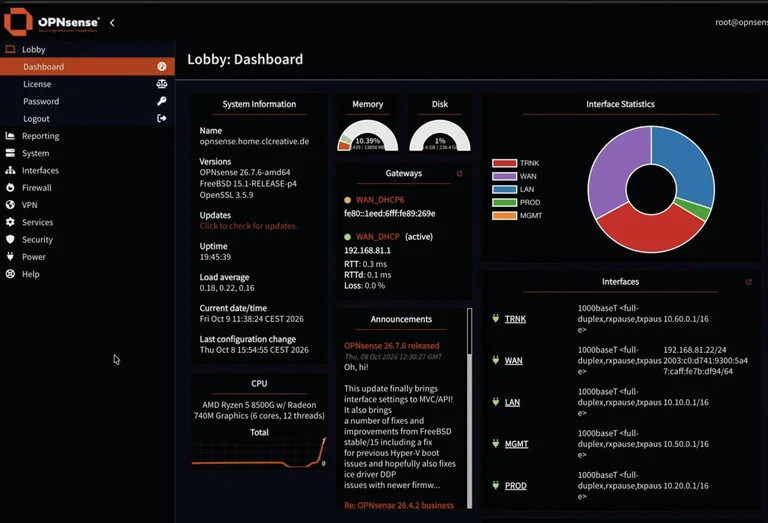
The built-in dashboard shows the basics like traffic and memory. It is useful but I wanted more history and alerts. I installed the Telegraf plugin and turned on the ZFS metrics. Then I scrape everything into a separate monitoring setup I already had running. That way I can see if a drive in the mirror starts acting weird or if a service stops responding. Alerts go to my phone so I do not have to keep checking the page.
Conclusion
If you only have one network and never plan to add VLANs or special access rules a regular consumer router is probably enough. OPNsense needs a bit more time to set up and you have to pay attention to the details. For a kid just starting out with one laptop and a phone it might feel like overkill.
But if you already play with different networks or want room to grow without hitting walls later this setup has been worth it for me. A decent used mini PC with two small drives runs about the price of a few months of allowance plus whatever you can find second-hand. Once it is running the extra flexibility keeps paying off every time I add a new project.