
Whenever someone asks how to get started with coding agents or local AI, the advice is almost always the same: just hook your editor up to the largest frontier model available, pay per token, and go. I tried that approach for months. The quality is impressive—no question. But it gets frustrating fast. You burn through usage limits on boring boilerplate, sit through laggy responses for tiny syntax fixes, and start second-guessing every prompt because you’re watching the meter.
A better way to begin, at least in my experience, is a tiered setup with an intelligent model router. It takes a little more patience (and maybe a used graphics card), but it completely changes the feel of the work. Instead of treating every file read like it needs the smartest system on the planet, you let a fast, efficient model handle the routine stuff and only pull out the heavy model when things actually get hard. You stop feeling constrained by token limits or slow responses.
Use Stage Routing

The power of putting a router between your editor and your models is what I call stage routing. In normal coding, an autonomous agent spends most of its time on simple, repetitive tasks—reading files, checking directories, making small edits. A massive frontier model is overkill for that. A lightweight local model will fly through those steps.
A good router watches what the agent is doing in real time. When it hits a failing test suite, gets stuck in a loop, or runs into a weird compiler issue, the router quietly switches to a stronger model. Your everyday workflow stays quick, but you still have the safety net of deeper reasoning when you need it.
Here are a few places where this approach clearly beats the “one giant model for everything” habit:
1. Generating unit test suites
If you point an agent at a clean codebase to write unit tests, the fast model immediately handles the routine parts—like scaffolding and basic assertions—at super speed. But as soon as a tricky mock fails, the router automatically escalates to the smarter model so it can dig into the issue without slowing the whole process down.
2. Refactoring legacy code
When cleaning up legacy code, the main work is high-volume and repetitive: updating old syntax, cleaning variables, managing imports across dozens of files. The lightweight efficient model can handle all of that quickly. The heavier model only gets called when there’s a truly complex structural change that risks breaking the program flow.
3. Updating documentation
Writing documentation is similar. Adding inline comments or creating markdown from existing functions is mostly about pattern recognition. A fast local model can plow through hundreds of files in minutes, so your premium credits stay safe for heavier logic problems.
4. Repetitive bug fixing
If there’s a list of small bugs to fix, the agent starts trying solutions on the fast tier first. Once a few attempts fail the verification step, the router automatically steps up the reasoning power so it can catch the edge cases that were previously missed.
5. Spinning up new project scaffolding
Finally, when spinning up a new project structure—routes, schemas, config files, and so on—the work is mostly about volume. With a router, you can get a complete project skeleton in seconds instead of waiting for a cloud API to drip tokens one by one.
Handling Longer Sessions Without the Billing Shock
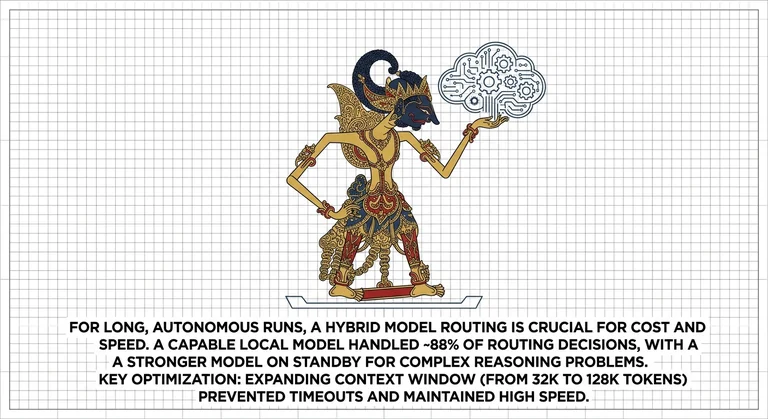
Once you move past simple scripts into longer autonomous runs, the problems with the default approach become obvious. I ran an experiment where an agent spent over two hours writing hundreds of unit tests across twenty files. Sending every turn to a premium hosted model would have been expensive.
Instead I used a capable open-weights model on my main machine as the default, with a stronger one on standby. Roughly 88% of the routing decisions stayed on the fast model. The heavy one only kicked in for genuine reasoning problems.
A few practical notes: early on I had timeouts because the fast model’s context window was limited to 32k tokens. Once prompts got large, the router had to fall back simply because the context wouldn’t fit. Expanding it to 128k fixed that and kept the speed high.
Running this kind of setup locally also means you avoid the big monthly API bills. A solid used graphics card with 24 GB of VRAM can handle a modern sparse model comfortably and gives you a capable local workbench without ongoing costs.
Conclusion
If most of your work is abstract architecture, tricky math, or complex security logic written from scratch, just go straight to a frontier model. Almost every prompt needs peak reasoning anyway, so a router would only get in the way.
And if you only code for an hour on weekends and don’t want to deal with hardware, context settings, or proxy configs, a simple cloud subscription is still the least painful option.
If you’re tired of watching token counters drop or waiting on cloud responses for simple edits, adding a model router is one of the most useful upgrades you can make. Routine work stays fast, and the deep reasoning stays available for the moments that actually need it.
You don’t need a server room. A decent desktop with a capable secondhand graphics card (usually in the $700–900 range) is enough to run a fast daily driver alongside a local router. It’s a practical, approachable way to start building real agent workflows without feeling boxed in.