If you’ve been hanging around the AI developer space or even just tinkering with automation on the weekends, you’ve probably felt the shift. We’ve moved past just chatting with LLMs in a browser window. Now, we want these models to actually do things—move files, run scripts, manage schedules, and act as autonomous agents on our machines. For a long time, if you asked me or anyone else what the best framework for building a multi-agent system was, the default answer was almost always Microsoft’s AutoGen. I’ve spent countless nights building complex GroupChat scenarios with it, where a “coder” agent and a “reviewer” agent would argue back and forth until a script was finalized. It felt like absolute magic the first time I got it working.
But I’ll be completely honest with you: as much as I loved those early AutoGen days, the landscape has changed. AutoGen is technically in maintenance mode now (Microsoft is quietly nudging people toward their newer Agent Framework), and it often feels a bit like holding together a complex machine with duct tape. If you’re jumping into Windows-based AI automation today and you want something that won’t make you pull your hair out—but also won’t artificially limit you as your skills grow—the real decision comes down to two entirely different beasts: Hermes Agent and LangGraph.
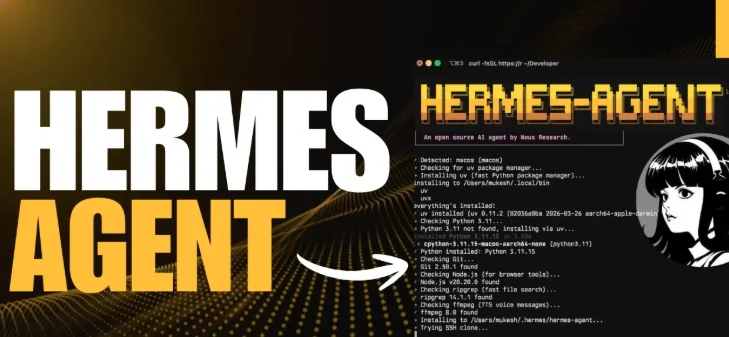
Personally, I’ve found that while LangGraph is an absolute powerhouse for hardcore application builders, my go-to recommendation for most people who want a highly capable, flexible AI on their Windows machine right now is Hermes Agent. It’s the sweet spot. It might require you to rethink how you approach automation compared to writing basic Python scripts, but it is far more flexible out of the box and prevents that frustrating “hitting a wall” feeling you get with simpler tools. Let’s break down exactly why this approach makes sense, where it shines, and when you should actually ignore my advice and use LangGraph instead.
The Beauty of a Native, Persistent Windows Assistant
Here is the biggest difference in philosophy you need to wrap your head around: LangGraph is a framework you use to build an agent from scratch. Hermes Agent is an actual, pre-built assistant that you configure and deploy.

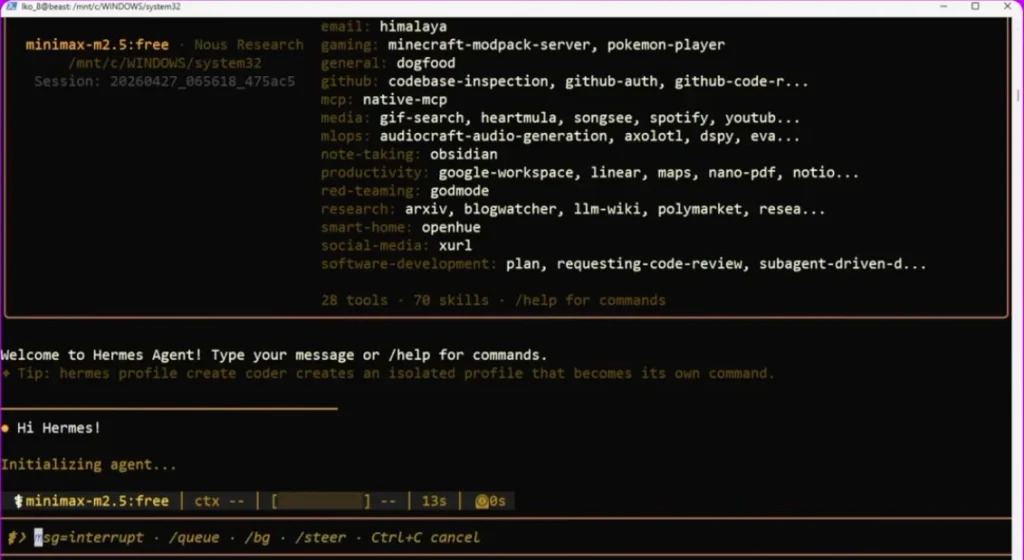
When I first installed Hermes, the thing that immediately won me over was how deeply it integrates with Windows natively. I’ve wasted too much of my life messing around with WSL (Windows Subsystem for Linux), Docker containers, and Cygwin just to get a Python-based AI to properly read my local C:\ drive. Hermes doesn’t play those games. It handles the terminal, interacts with files, uses your browser, and runs scheduled tasks natively on Windows.
But the real game-changer—the feature that elevates it from a neat toy to a tool I rely on daily—is its memory architecture. Hermes operates on a closed learning loop with a four-tier memory pipeline: working, episodic, semantic, and procedural. In plain English? It remembers the context of what you are doing right now (working), it remembers the things you did together last week (episodic), it understands facts about your environment (semantic), and it actually retains skills across sessions (procedural).
When your AI can learn a specific way to execute a command and remember it for next month, your workflow drastically changes. Here are a few concrete projects I’ve set up that start simple but scale beautifully as you get more comfortable:
1. The Intelligent File ‘Janitor‘
Everyone has a chaotic “Downloads” folder. A standard script can sort files by extension (.pdf goes here, .jpg goes there). I used Hermes to build an agent that actually reads the contents of documents and sorts them by context. It knows that a PDF containing tax information goes into my encrypted financial folder, while a PDF about Python frameworks goes into my research directory. Because of its memory, if I correct its placement once, it remembers my preference forever.
2. Automated System Health & Cleanup
Since Hermes can register its gateway directly with the Windows Task Scheduler, I have it wake up at 4 AM, run a few PowerShell scripts to clear out temporary files, check my disk space, and kill rogue background processes that usually eat my RAM. It leaves a neat little summary on my dashboard for when I log in.
3. The Unstructured Data Synthesizer
I take terrible, messy notes during calls. I drop these rough text files into a specific local folder. Hermes watches that folder, picks up the new files, cleans up the grammar, formats them into pristine Markdown, and automatically pushes them into my Obsidian vault.
4. The Daily Web Scraper and Reporter
Using Hermes’ built-in browser tools, I have a procedural skill set up where the agent navigates to a specific analytics dashboard I use, extracts the key performance numbers, formats them into an Excel sheet natively on my local drive, and drafts an email summary.
5. Multi-Agent Delegation for Deep Research
This is where you hit that intermediate level. Hermes allows the primary agent to delegate work. I can ask my main terminal agent to research a new tech stack. It will spawn a sub-agent to do the web browsing and compile links, while the main agent formats the final technical document. It’s essentially what AutoGen promised, but without the fragile setup.
Handling the Heavy Lifting: When Workflows Demand More
As you graduate from organizing files to building workflows that you actually rely on for your job or business, you start caring deeply about three things: fault tolerance, latency, and cost.
Let me share a harsh truth about AI agents: they fail. APIs time out, LLMs hallucinate the wrong JSON format, or a website changes its DOM structure and breaks your scraper.
This is where my experience with Hermes Agent has been remarkably smooth compared to older frameworks. Hermes has built-in auto-recovery. If it tries to execute a terminal command and gets a syntax error, it reads the error, realizes its mistake, and tries again autonomously. It is surprisingly resilient. AutoGen, by comparison, has a task-level retry mechanism that always felt a bit clunky to me—if the conversational flow between agents broke down, the whole script usually crashed.
Then there’s the cost and speed. Based on recent baseline benchmarks (looking at the 2026 data), Hermes is incredibly highly optimized. You are looking at around $0.07 per average task, with a blistering p95 latency of about 1.1 seconds.
For comparison, AutoGen is sitting at about $0.12 per task with a 1.8-second latency. That half-second difference might not sound like much, but when you have an agent doing 50 micro-tasks in a row to compile a report, you absolutely feel it. AutoGen is bloated. It was great for its time, but with Microsoft’s strategic trajectory for it being so uncertain, I simply cannot recommend starting a new project on it today.
Hermes gives you the GUI desktop experience if you just want to click buttons, but the exact same underlying agent runs on the CLI. You can seamlessly switch between a friendly graphical interface and a hardcore terminal environment without managing two separate assistants. That flexibility is exactly why I recommend it for people who want to start strong but not feel babied by the software.
A quick caveat, to be completely fair: if you rely heavily on the embedded terminal inside the Hermes web dashboard, it currently requires a POSIX-style pseudo-terminal, meaning it defaults to WSL2 for that specific UI feature. But the core desktop app and CLI run native Windows just fine.
When You Should Choose LangGraph Instead?
I’ve spent this whole time praising Hermes, but I need to be objective here. There is a very specific, very important scenario where Hermes is the wrong choice, and LangGraph is the undisputed king.
If you are not looking for a personal assistant, but rather you are building a backend AI application for other people to use—say, a customer service bot, an internal company tool, or a complex SaaS product—you need LangGraph.
LangGraph isn’t trying to be your buddy on the Windows desktop. It doesn’t have a standard user interface. It is a pure Python orchestration framework based on directed graphs. You define nodes (agents or tools) and edges (how they connect).
Why is this important? Deterministic control. With Hermes, you give the agent a goal and it figures out how to get there. It’s autonomous. But in an enterprise environment, pure autonomy is terrifying. If an AI is querying your production database, you don’t want it “figuring it out.” You want explicit workflow control.
LangGraph allows you to explicitly define the state of your application. You can build workflows where the agent gathers data, formats a SQL query, and then pauses execution entirely to wait for a human to click “Approve” before running the drop command. You can interrupt it, resume it, and manually define exact error-handling paths.
In my experience, building with LangGraph is significantly harder. You have to write the Python code, manage the environment, handle the memory explicitly yourself, and build your own UI. It costs a tiny bit more to run than Hermes (around $0.08 per task with 1.2s latency), but it is a production-grade tool. If your project requires strict auditability, human-in-the-loop approvals, and rock-solid state management, roll up your sleeves and learn LangGraph.
The Bottom Line
Choosing your AI framework right now doesn’t have to be a headache. If you have an existing AutoGen project, keep it running, but I wouldn’t build anything new on it since it’s sitting in maintenance mode.
For the vast majority of tech-savvy users, hobbyists, and developers who want to superpower their Windows machine, Hermes Agent is the smartest starting point. It gives you a persistent, learning AI that can actually interact with your local environment natively. It’s incredibly cheap to run, fast, and the fact that you can install it via a simple desktop installer or a PowerShell command makes it highly accessible. You get the immediate gratification of a working assistant, with the deep technical flexibility to add custom MCP servers and skills as you level up.
But if you are building a larger software application where the AI is just one component hidden behind a sleek UI, and you need absolute, granular control over every decision the model makes, take the steeper learning curve and build it with LangGraph.
Either way, we are long past the era of just generating text. It’s time to let your machine do the actual work.