
Whenever a team decides to revamp an aging application, or rewrite it from scratch, most people assume the hardest work is building the new version. It’s an understandable assumption. Designing the screens, wiring up the features, shipping something that finally looks modern that feels like the mountain.
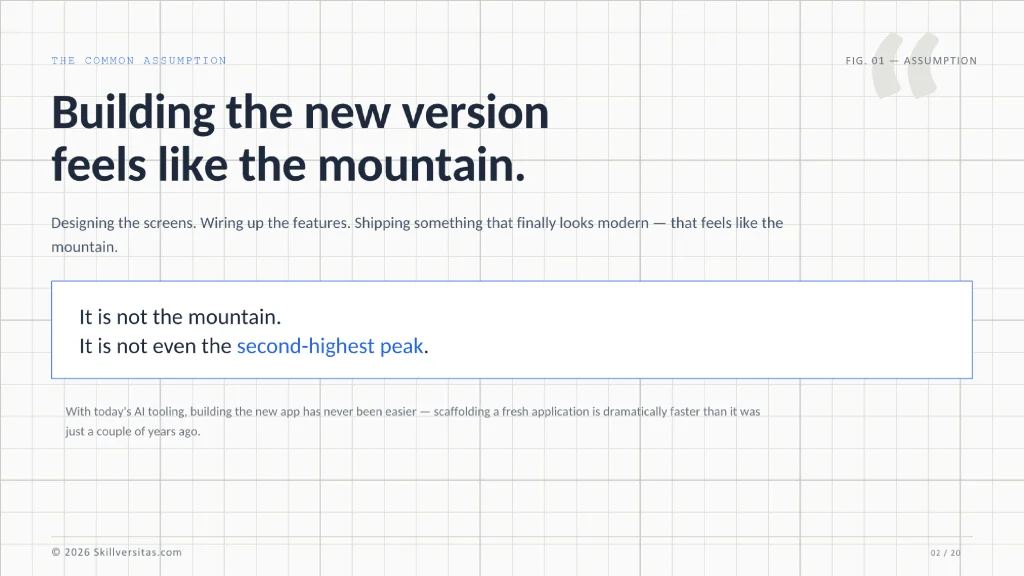
It’s not the mountain. It isn’t even the second-highest peak, and honestly, building the new app has never been easier. With today’s AI tooling, scaffolding a fresh application is dramatically faster than it was just a couple of years ago. The genuinely hard part of a rewrite is the unglamorous thing sitting underneath it: migrating the old data into the new system. That’s where rewrites quietly go to die, and it’s the part that keeps architects awake at night.
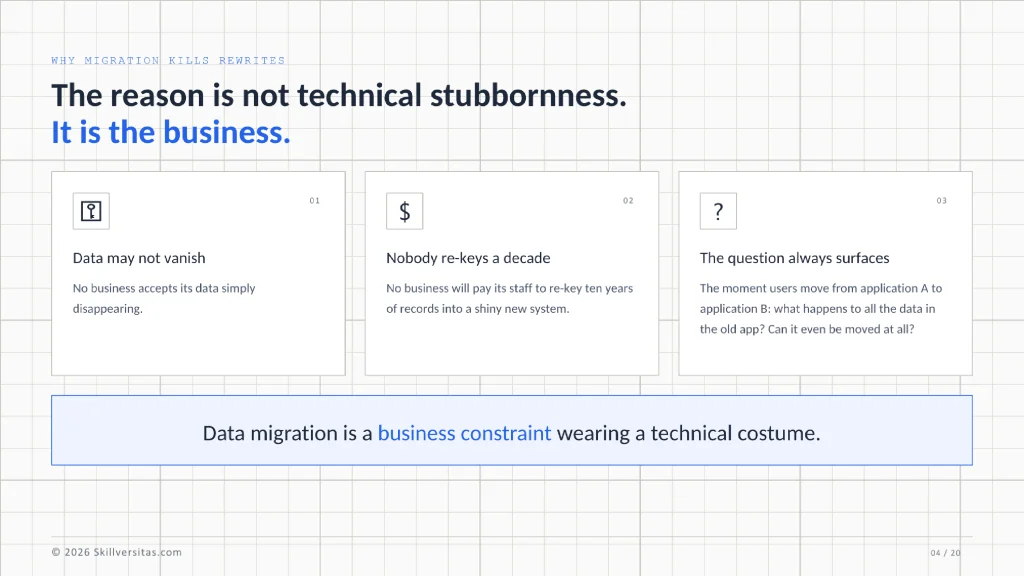
The reason is not technical stubbornness. It’s the business. No business accepts its data simply disappearing, and no business will pay its staff to re-key a decade of records into a shiny new system. The moment users move from application A to application B, the same question always surfaces: what happens to all the data in the old app? Can it even be moved at all?
A developer recently brought me a scenario that captures this problem almost perfectly. Let me use it as the working example for everything that follows.
A Scenario That Will Feel Familiar
Here is the situation, lightly anonymized. A client runs a web-based application backed by PostgreSQL. It has thousands of users and has been in production for nearly ten years. The client wants a new, more modern application — and “modern” specifically means AI features woven into several of its core functions.
The catch is the usual one. The new application will also be web-based and will also run on PostgreSQL, but the database structure is completely different. Not “a few tables renamed” different radically different. Both systems are monoliths rather than microservices, the servers live on-premise with no cloud object storage in the picture, and the client is in no hurry, because they fully understand how complex a migration of this size really is.
What they will not accept, under any circumstances, is losing ten years of data. The old records have to stay alive and reachable inside the new application.
So how do you actually deliver that? There are four strategies I’ve leaned on over the years, each with a very different cost profile. None of them is universally best — the right choice depends entirely on your constraints. Let me walk through them, from simplest to most involved.
Strategy 1: Run Both Applications and Migrate Only the Master Data
The simplest strategy — and I mean genuinely simple — is to not migrate most of the data at all.
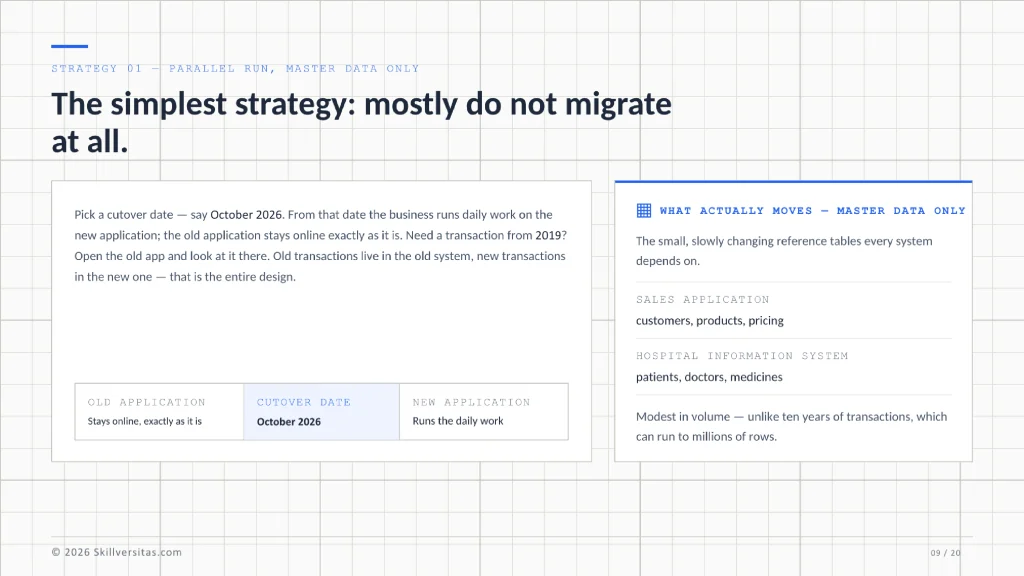
Pick a cutover date. Say it’s October 2026. From that date forward, the business runs its daily work on the new application. The old application stays online exactly as it is, so when somebody needs to check a transaction from 2019, they open the old app and look at it there. Old transactions live in the old system; new transactions live in the new one. That’s the entire design.
The only data that actually moves is master data: the relatively small, slowly changing reference tables that every system depends on. In a sales application that means customers, products, and pricing. In a hospital information system it means patients, doctors, and medicines. That kind of data is modest in volume — unlike ten years of transactions, which can run to millions of rows and which nobody wants to touch without a very good reason.
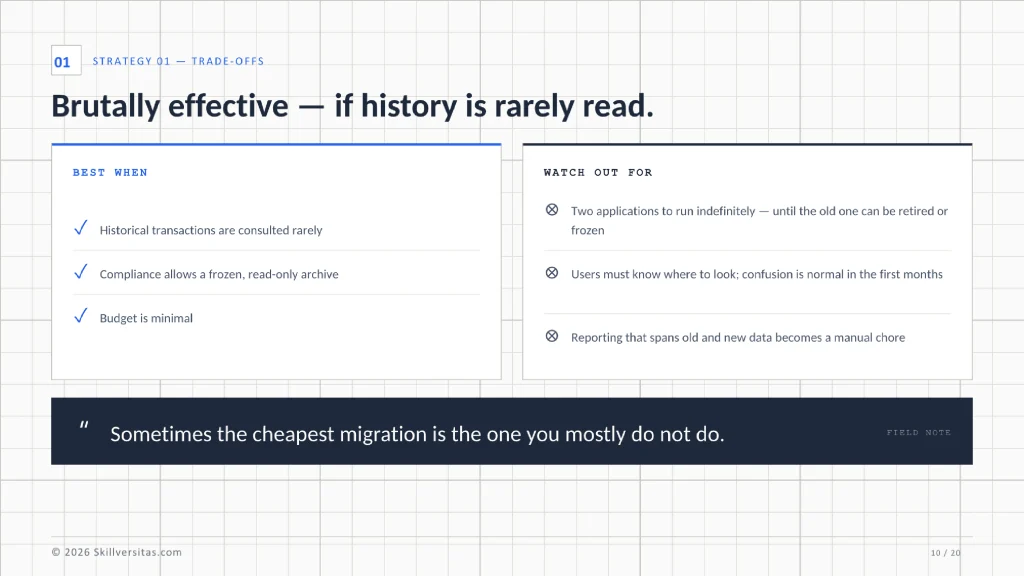
The trade-offs are real, though. You now operate two applications indefinitely, at least until you decide the old one can finally be retired or frozen as a read-only archive. Users need to know where to look, which always causes a little confusion in the first months. And reporting that spans old and new data becomes a manual chore.
Still, if historical transactions are consulted rarely and compliance allows a frozen archive, this strategy is brutally effective and almost risk-free. Sometimes the cheapest migration is the one you mostly don’t do.
Strategy 2: Share the Database and Refactor the Old Schema
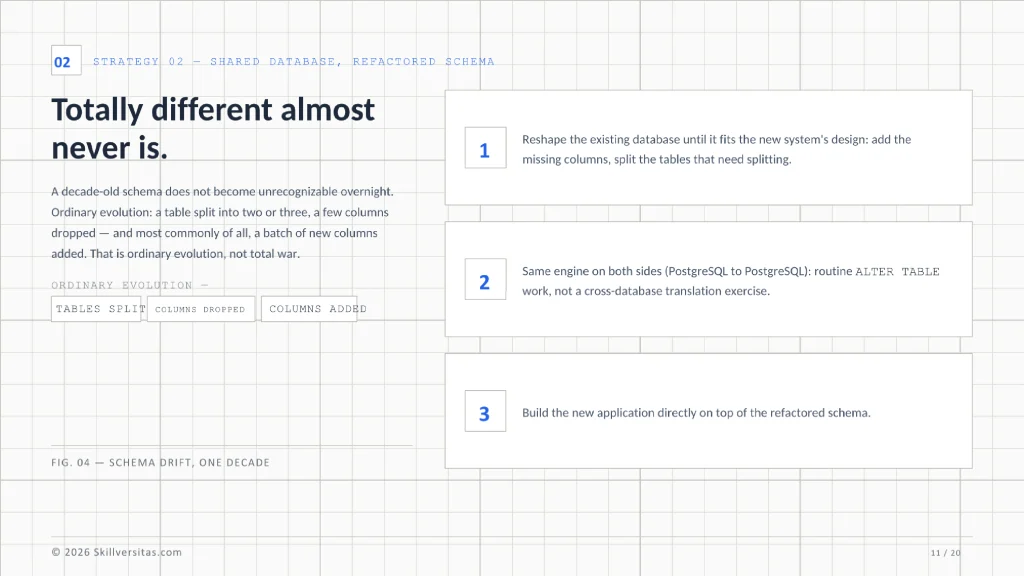
Here is something I find myself repeating constantly: when a client says the new schema is “totally different,” it almost never is. A decade-old schema does not become unrecognizable overnight. Usually a table got split into two or three, a few columns disappeared, and — most commonly of all — a batch of new columns was added. That’s ordinary evolution, not total war.
When the old and new applications run on the same database engine — PostgreSQL to PostgreSQL, as in our scenario — that realization unlocks a much cheaper strategy: refactor the old database instead of moving any data at all.
The idea is to reshape the existing database until it fits the new system’s design. Add the missing columns. Split the tables that need splitting. Because the engine is the same, this is routine ALTER TABLE work, not a cross-database translation exercise. Then you build the new application directly on top of the refactored schema.
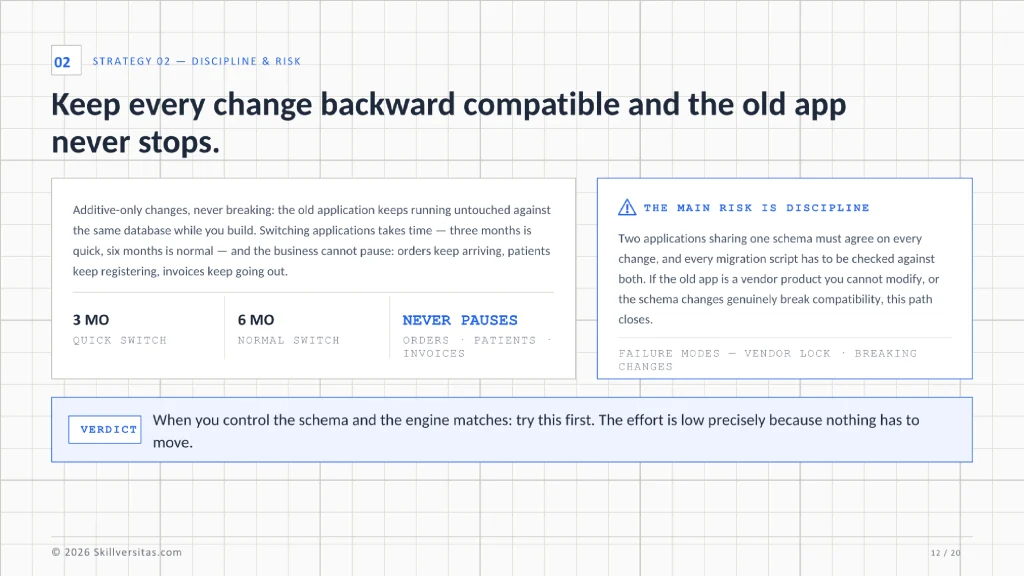
Even better, if you keep every change backward compatible — additive only, never breaking — the old application can keep running untouched against the same database while you build. That matters more than people expect. Switching applications takes time; three months is quick, six months is normal. During that window the business cannot pause. Orders keep arriving, patients keep registering, invoices keep going out. With a shared, backward-compatible database, the old app keeps serving the business until the day the new one is ready.
The main risk is discipline. Two applications sharing one schema have to agree on every change, and every migration script has to be checked against both. If the old application is a vendor product you can’t modify, or the schema changes genuinely break compatibility, this path closes. But when you control the schema and the engine matches — as in the scenario above — this is the approach I’d recommend first. The effort is low precisely because nothing has to move.
Strategy 3: Build a Bridge API and Let the Data Migrate Lazily
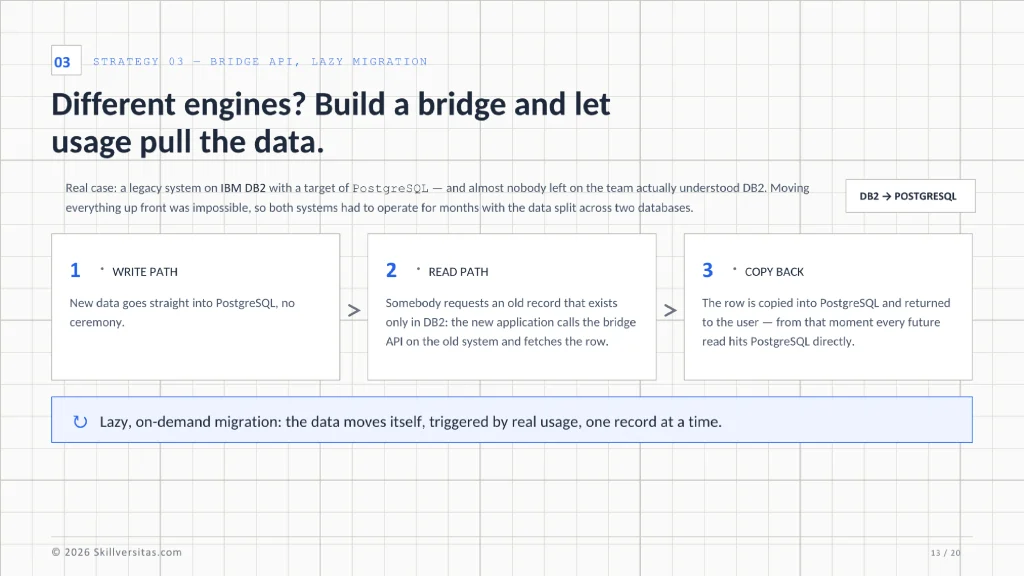
Now for the harder case: the old and new applications run on different database engines entirely. Old system on IBM DB2, new system on PostgreSQL — that kind of gap. I once inherited a legacy project in exactly that position, running on DB2, and it quickly became clear that almost nobody left on the team actually understood that database. Rather than wrestling with an engine nobody could maintain, we decided to move to PostgreSQL. But we couldn’t move everything up front, so we needed a way to operate for months with the data split across two systems.
The answer was a bridge. We added one new feature to the old application: an internal API that could query its own data and hand it back. Then we gave the new application a simple rule. New data goes straight into PostgreSQL, no ceremony. But the moment somebody requests an old record — one that exists only in DB2 — the new application calls the bridge, fetches the row from the old database, copies it into PostgreSQL, and returns it to the user. From that moment the record lives in the new database, and every future read hits PostgreSQL directly.
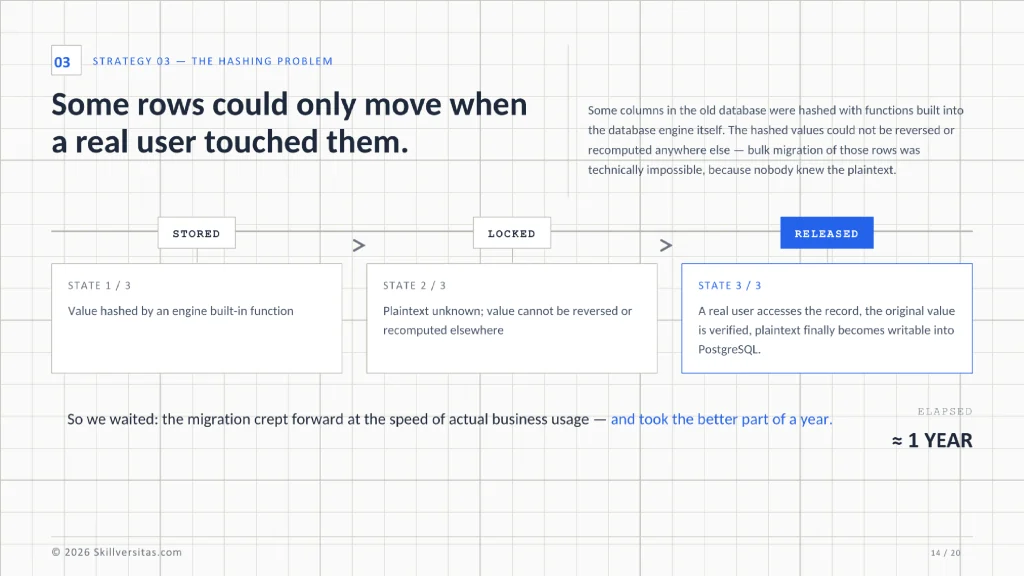
That is lazy, on-demand migration: the data moves itself, triggered by real usage, one record at a time. You keep both systems running until the population of old-only rows shrinks to zero — which, in our case, took the better part of a year.
Why so long? Because of a hashing problem I’ve never forgotten. Some columns in that old database were hashed with functions built into the database engine itself. The hashed values could not be reversed or recomputed anywhere else, which made bulk migration of those rows technically impossible — we simply had no idea what the plaintext was. The only moment such a row could move was when a real user accessed that record, the original value was verified, and the plaintext finally became available to write into PostgreSQL. So we waited, and the migration crept forward at the speed of actual business usage.
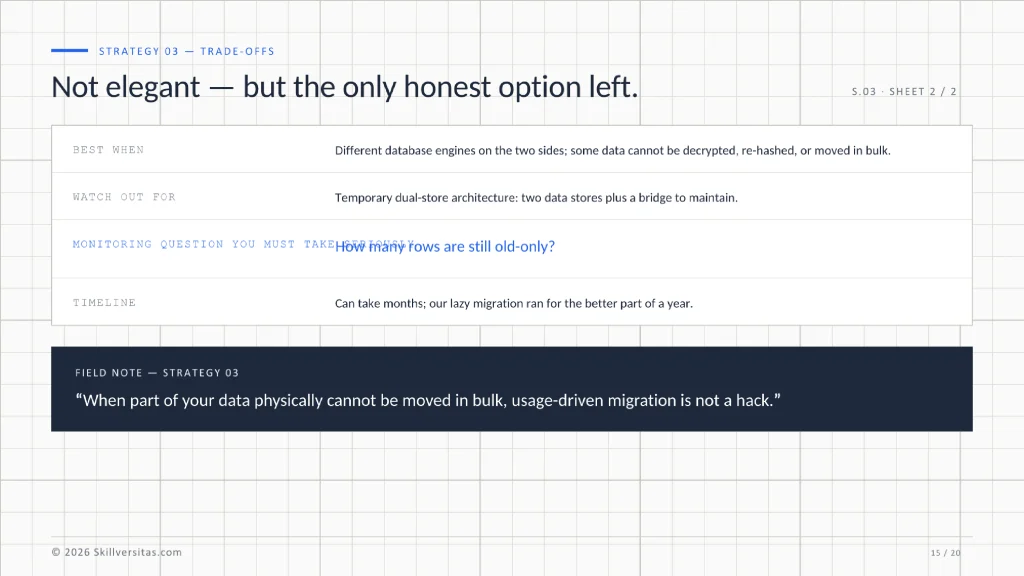
I won’t pretend this is elegant. It’s temporary architecture: two data stores, a bridge to maintain, and a monitoring question you must take seriously — how many rows are still old-only? But when part of your data physically cannot be moved in bulk, usage-driven migration is not a hack. It’s the only honest option left.
Strategy 4: The Big-Bang Data Pipeline
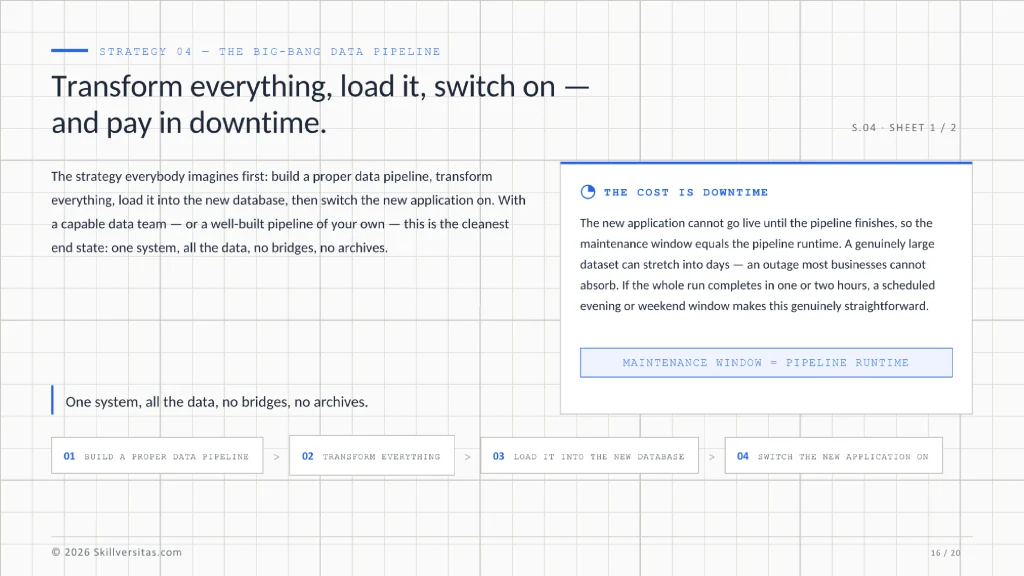
The fourth strategy is the one everybody imagines first: build a proper data pipeline, transform everything, load it into the new database, and then switch the new application on.
With a capable data team — or a well-built pipeline of your own — this is the cleanest end state: one system, all the data, no bridges, no archives. The cost is downtime. The new application cannot go live until the pipeline finishes, so the business sits through a maintenance window equal to the pipeline’s runtime. For a genuinely large dataset that can stretch into days, which is exactly the kind of outage most businesses cannot absorb. But if the whole run completes in one or two hours, a scheduled evening or weekend window makes this genuinely straightforward.
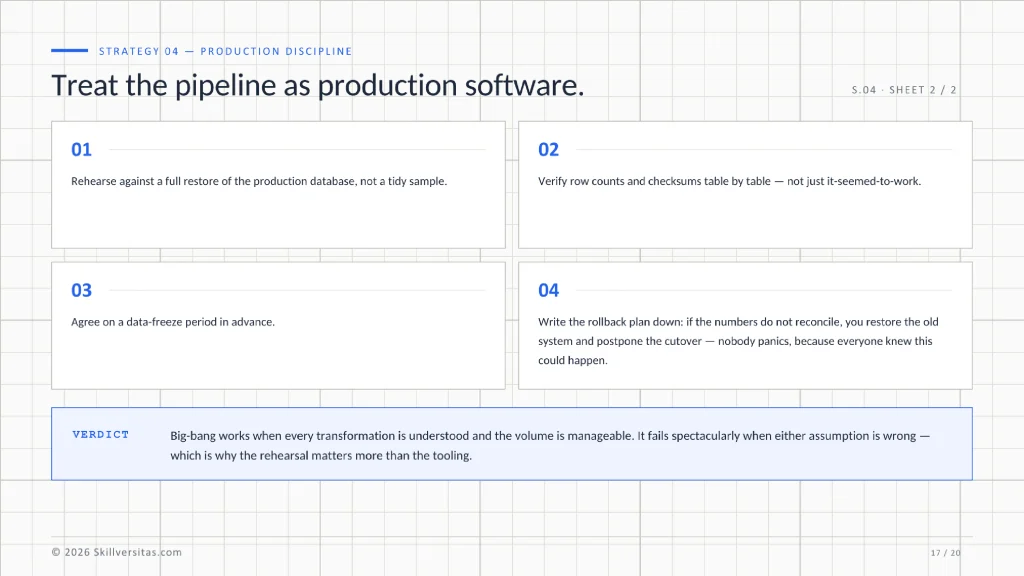
If you take this route, treat the pipeline as production software. Rehearse it against a full restore of the production database, not a tidy sample. Verify row counts and checksums table by table, not just “it seemed to work.” Agree on a data-freeze period in advance, and write the rollback plan down: if the numbers don’t reconcile, you restore the old system, postpone the cutover, and nobody panics, because everyone knew this could happen.
Big-bang works when you’re confident you understand every transformation and the volume is manageable. It fails spectacularly when either assumption is wrong — which is exactly why the rehearsal matters more than the tooling.
Choosing a Strategy: A Quick Decision Guide
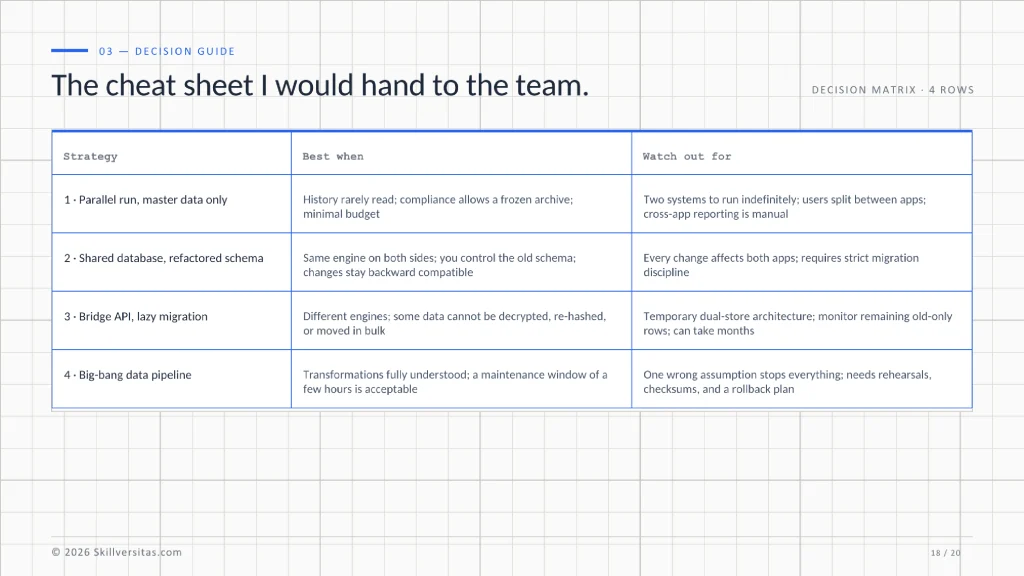
Four strategies, four different trade-off profiles. This is the cheat sheet I would hand to the team in our scenario:
| Strategy | Best when | Watch out for |
| 1. Parallel run, master data only | History is rarely read; compliance allows a frozen archive; budget is minimal | Two systems to run indefinitely; users split between apps; cross-app reporting is manual |
| 2. Shared database, refactored schema | Same engine on both sides; you control the old schema; changes can stay backward compatible | Every change affects both apps; requires strict migration discipline |
| 3. Bridge API, lazy migration | Different engines; some data cannot be decrypted, re-hashed, or moved in bulk | Temporary dual-store architecture; must monitor remaining old-only rows; can take months |
| 4. Big-bang data pipeline | Transformations are fully understood; a maintenance window of a few hours is acceptable | One wrong assumption stops everything; needs rehearsals, checksums, and a rollback plan |
Notice, too, that these strategies combine well in practice. A pipeline can bulk-move everything that is movable while a bridge handles the stubborn rows. A parallel run can cover the business while the pipeline is still being rehearsed. Real projects frequently end up using two of these strategies in sequence rather than betting everything on a single one.
Final Thoughts
There is a saying worth pinning above every rewrite project: the rewrite earns the applause, but the migration earns the trust. Users will forgive an ugly new screen for a few weeks. They will not forgive a missing invoice, a vanished patient record, or ten years of history that is suddenly “somewhere in the old system, we think.”
Whatever strategy you choose, the goal stays the same: the business keeps running without interruption, and not a single row of history disappears. Everything else — the framework choices, the AI features, the polished interface — is the easy part.
Have you lived through a migration like this? Did you run two applications in parallel, refactor a shared schema, build a bridge, or stop the world for a weekend pipeline? I’d genuinely like to hear which strategy saved you — and which one taught you an expensive lesson. Tell your story in the comments.